> ## Documentation Index
> Fetch the complete documentation index at: https://zuperinc-section23.mintlify.site/llms.txt
> Use this file to discover all available pages before exploring further.
# SimpleTexting
SimpleTexting is a leading cloud-based text messaging platform, trusted by businesses in the North American region for reliable and efficient customer communication.
The Zuper–SimpleTexting integration enables seamless outbound communication by connecting your SimpleTexting account with Zuper. Once integrated, you can automatically send outbound text messages directly from your SimpleTexting number to keep your contacts informed about job updates, pending actions, or service notifications in real-time.
Note: You must have an active SimpleTexting account and subscription to use this integration.
## A. Connecting SimpleTexting with Zuper
Follow the steps below to integrate your SimpleTexting account with Zuper.
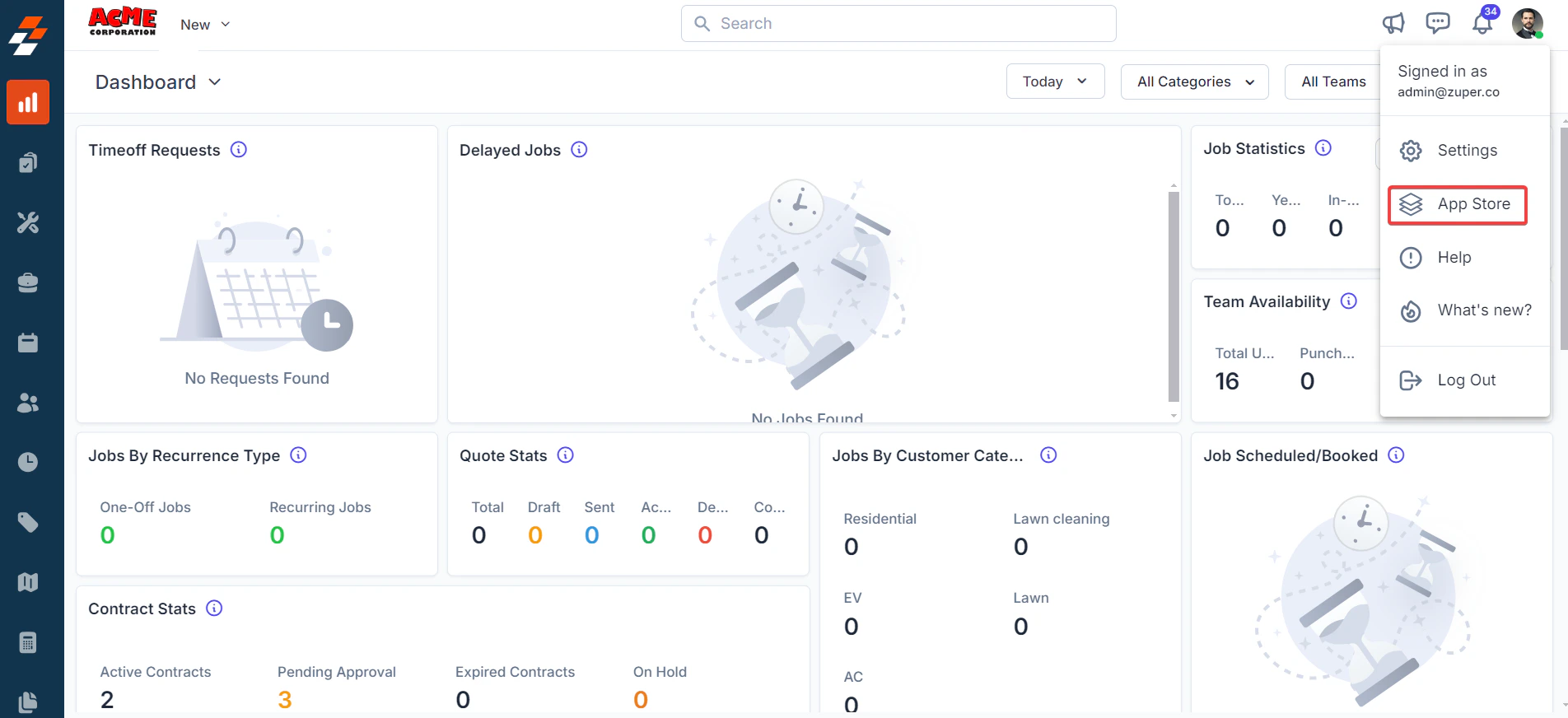
1. Log in to your **Zuper web app**. Click your **Profile Picture** in the top-right corner. Select **App Store** from the dropdown menu.
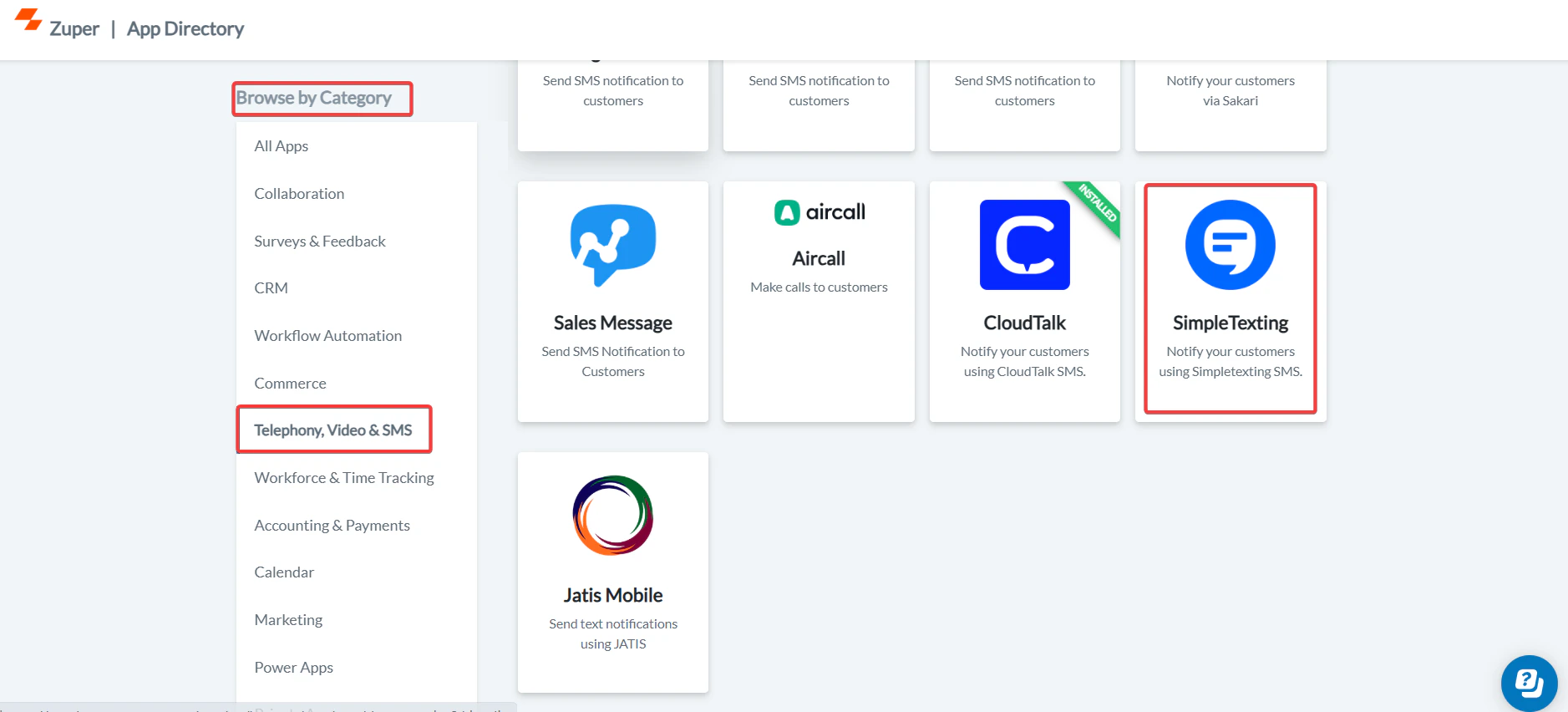
 2. Under **Browse by Category**, select **Telephony, Video & SMS**. Choose **SimpleTexting** from the list of available integrations.
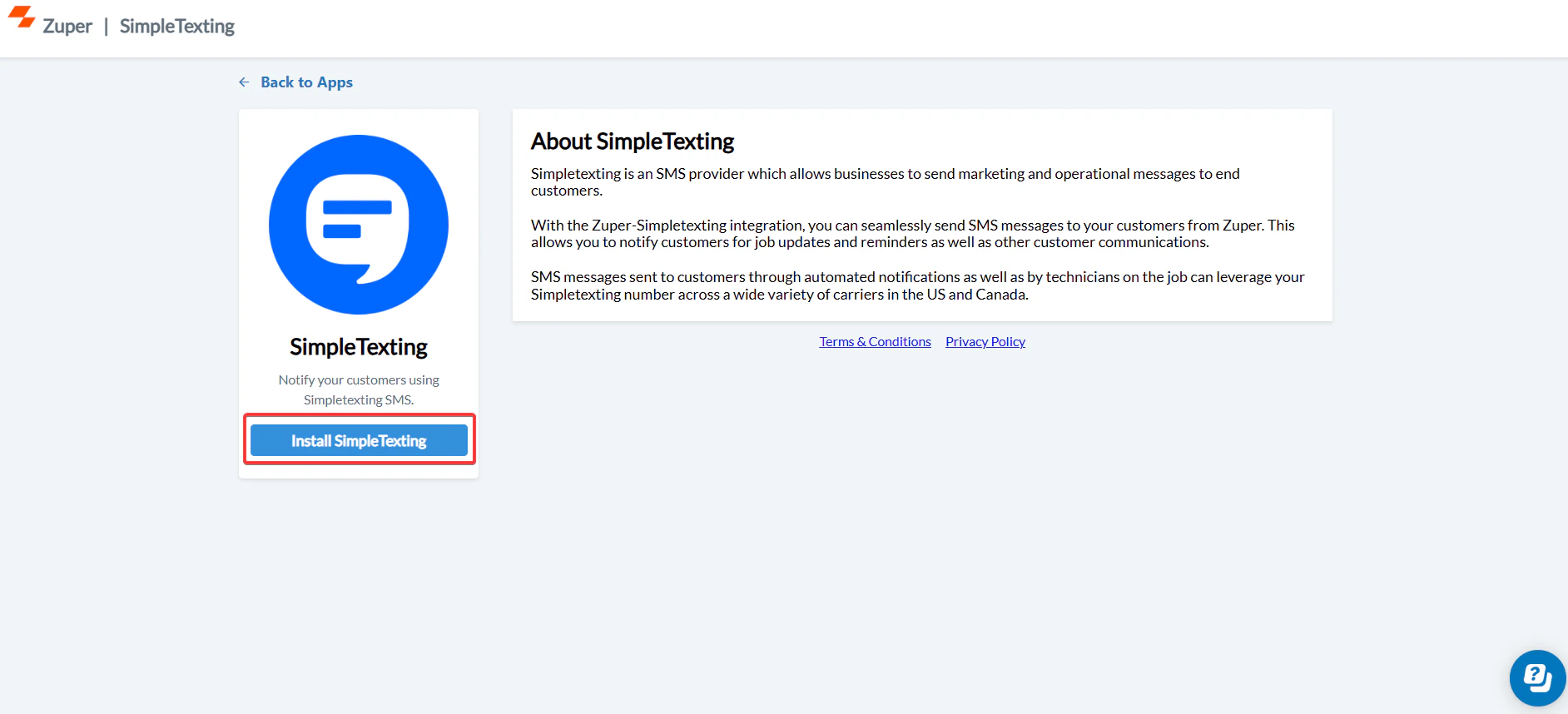
 3. Click **Install SimpleTexting**.
 4. Update the following fields with details from your SimpleTexting account:
| **Field** | **Description** | **Where to Find** |
| :-----------------------------------: | :-----------------------------------------------------------------------------------------------------------------------------------------------: | :----------------------------------------------------------------------------: |
| **SimpleTexting API Key (Mandatory)** | Enter your SimpleTexting API key to authenticate the integration between Zuper and SimpleTexting. | Log in to SimpleTexting → Dashboard → Profile & Settings → API tab → API Token |
| **Enable SMS Notification (Yes/No)** | Choose **Yes** to enable text message notifications for your contacts. This ensures that Zuper can send outbound text messages via SimpleTexting. | Available under **Contacts → Edit Contact → Notification Preferences** |
4. Update the following fields with details from your SimpleTexting account:
| **Field** | **Description** | **Where to Find** |
| :-----------------------------------: | :-----------------------------------------------------------------------------------------------------------------------------------------------: | :----------------------------------------------------------------------------: |
| **SimpleTexting API Key (Mandatory)** | Enter your SimpleTexting API key to authenticate the integration between Zuper and SimpleTexting. | Log in to SimpleTexting → Dashboard → Profile & Settings → API tab → API Token |
| **Enable SMS Notification (Yes/No)** | Choose **Yes** to enable text message notifications for your contacts. This ensures that Zuper can send outbound text messages via SimpleTexting. | Available under **Contacts → Edit Contact → Notification Preferences** |
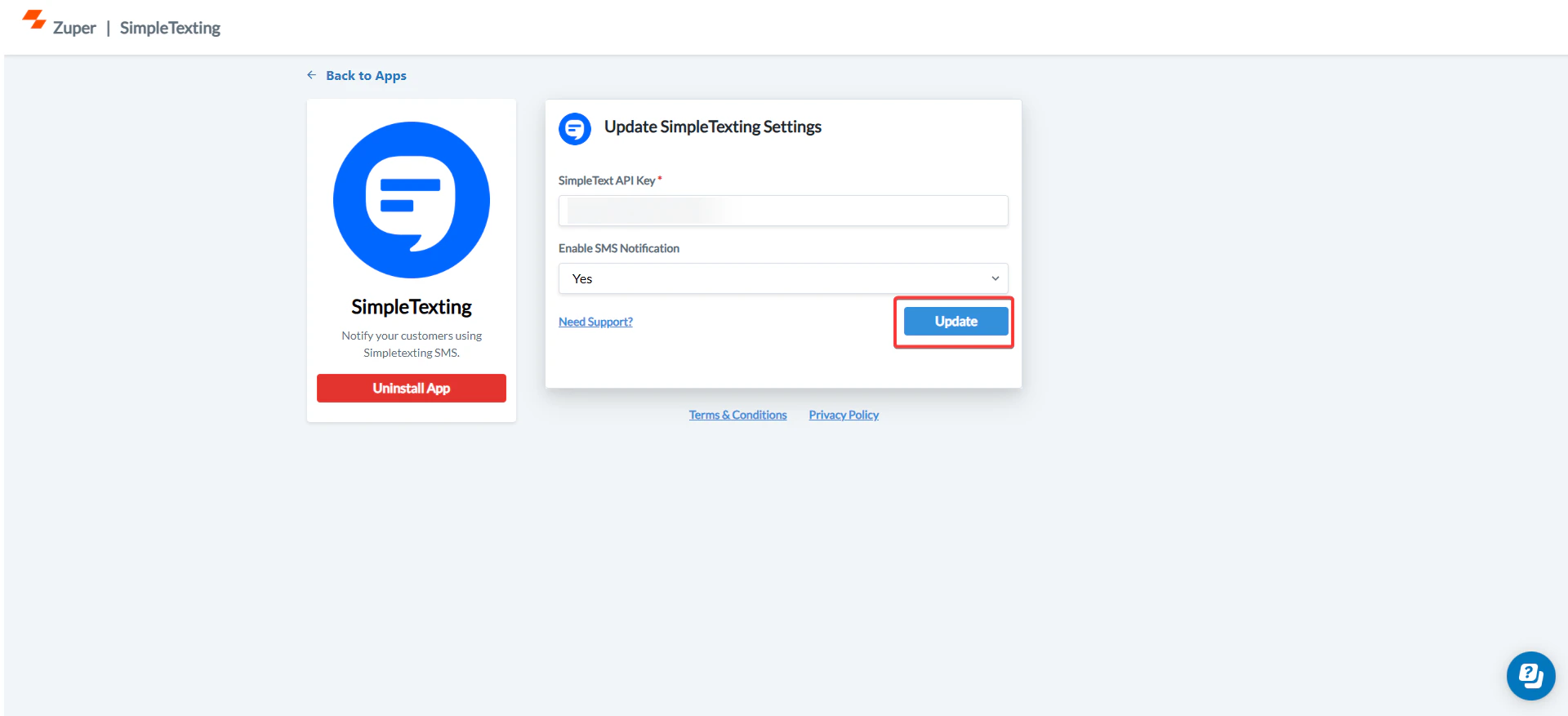 Click **Update** to complete the integration setup.
## B. Using the Zuper–SimpleTexting Integration
Once the integration is configured, you can send **Text Messages** directly from Zuper using your SimpleTexting number.
1. Navigate to the **Contacts** module from the left panel. Select a contact on the listing page to open its details.
Click **Update** to complete the integration setup.
## B. Using the Zuper–SimpleTexting Integration
Once the integration is configured, you can send **Text Messages** directly from Zuper using your SimpleTexting number.
1. Navigate to the **Contacts** module from the left panel. Select a contact on the listing page to open its details.
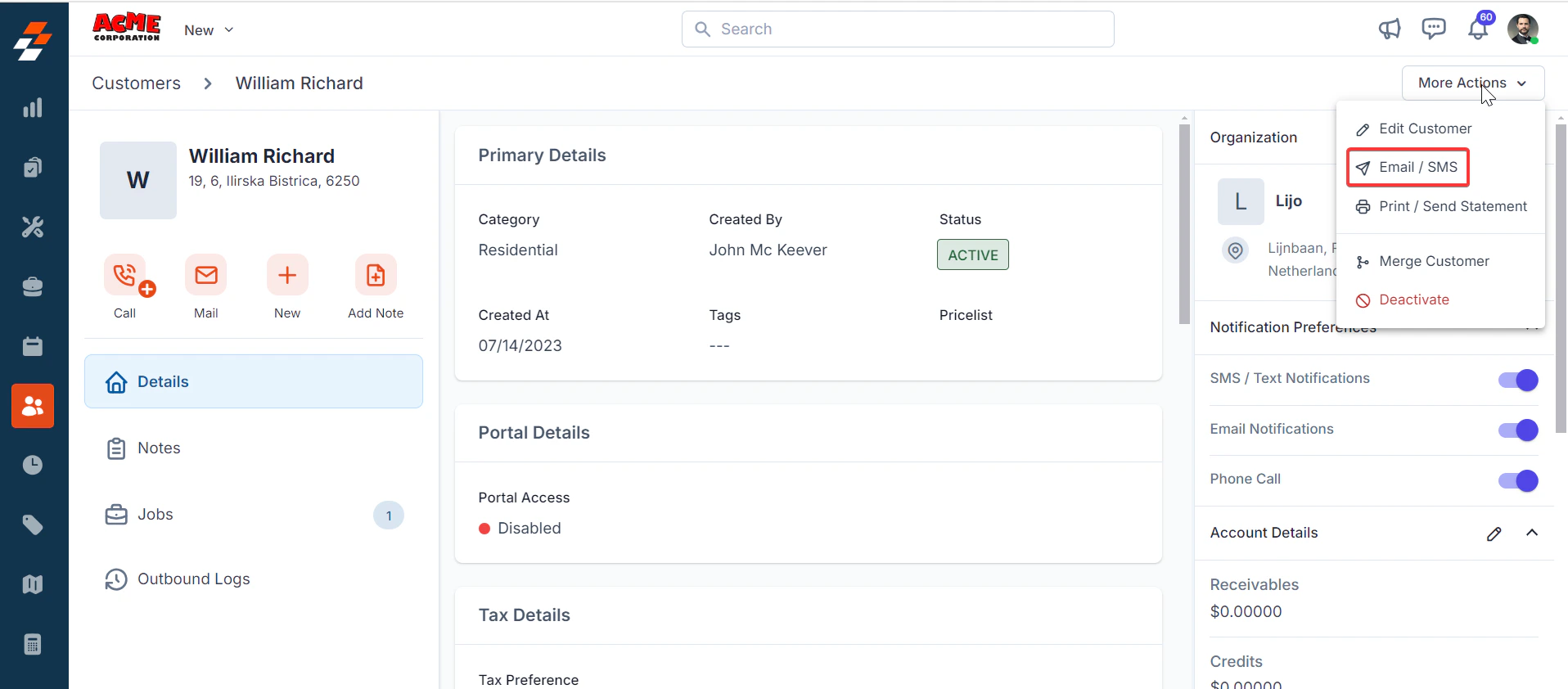 2. On the **Contact Details** page, click **More Actions** (top-right corner) and select **Email/Text Message** from the dropdown menu.
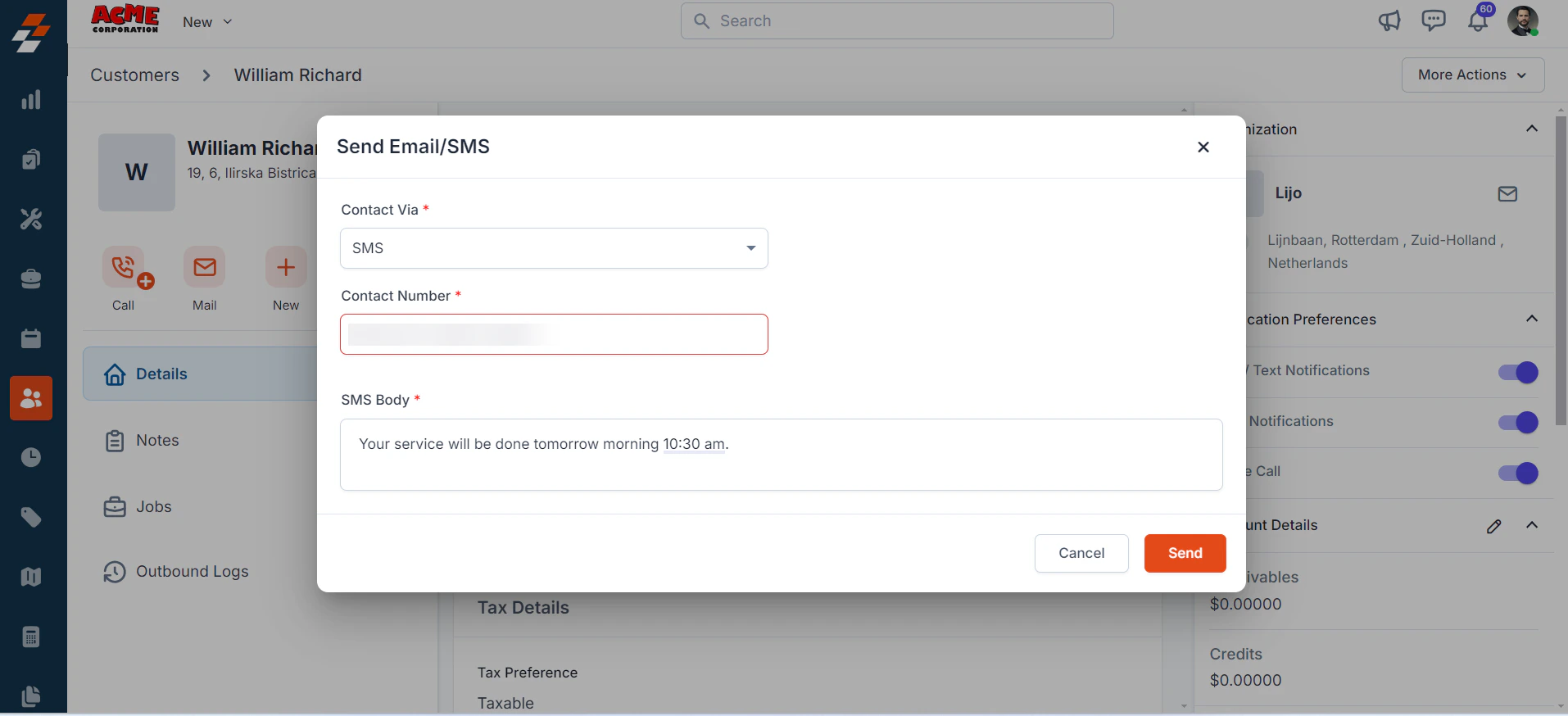
Fill in the following fields:
| **Field** | **Description** |
| :----------------------------: | :------------------------------------: |
| **Contact Via (Mandatory)** | Select **SMS** to send a notification. |
| **Contact Number (Mandatory)** | Choose the contact’s phone number. |
| **Message Body (Mandatory)** | Enter the message content. |
Click **Send** to deliver the text message via SimpleTexting.
2. On the **Contact Details** page, click **More Actions** (top-right corner) and select **Email/Text Message** from the dropdown menu.
Fill in the following fields:
| **Field** | **Description** |
| :----------------------------: | :------------------------------------: |
| **Contact Via (Mandatory)** | Select **SMS** to send a notification. |
| **Contact Number (Mandatory)** | Choose the contact’s phone number. |
| **Message Body (Mandatory)** | Enter the message content. |
Click **Send** to deliver the text message via SimpleTexting.
 Note: You can trigger messages via the Contacts module, Bulk Text Message action, or Workflow automation.
## C. Uninstalling SimpleTexting from Zuper
If you no longer need the integration, follow the steps below to uninstall the SimpleTexting app.
1. Log in to your **Zuper web app**. Click your **Profile Picture** in the top-right corner. Select **App Store**.
2. Under **Browse by Category**, select **Telephony, Video & SMS**. Choose **SimpleTexting.** You have the option to Uninstall **SimpleTexting**.
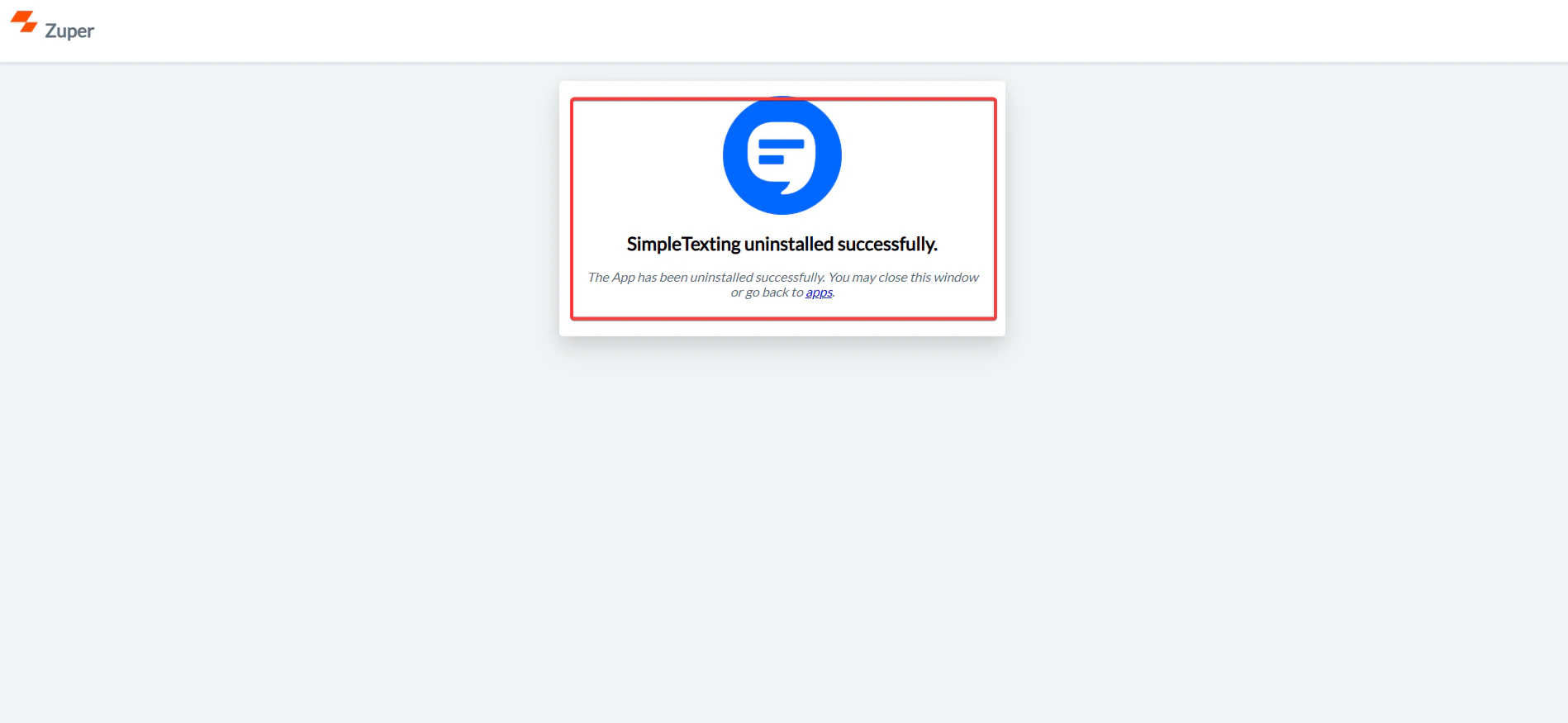
3. The SimpleTexting is uninstalled successfully.
Note: You can trigger messages via the Contacts module, Bulk Text Message action, or Workflow automation.
## C. Uninstalling SimpleTexting from Zuper
If you no longer need the integration, follow the steps below to uninstall the SimpleTexting app.
1. Log in to your **Zuper web app**. Click your **Profile Picture** in the top-right corner. Select **App Store**.
2. Under **Browse by Category**, select **Telephony, Video & SMS**. Choose **SimpleTexting.** You have the option to Uninstall **SimpleTexting**.
3. The SimpleTexting is uninstalled successfully.
 With this one-way integration, data flows from **Zuper to SimpleTexting**, ensuring that customers receive instant SMS notifications for the latest job updates, appointments, and service alerts—enhancing both communication and customer satisfaction.