> ## Documentation Index
> Fetch the complete documentation index at: https://zuperinc-section23.mintlify.site/llms.txt
> Use this file to discover all available pages before exploring further.
# API Keys
Zuper API Keys are essential for securely authenticating and authorizing access to the Zuper API. These keys enable seamless integration with Zuper's services, allowing developers to build powerful applications that leverage real-time data and functionality.
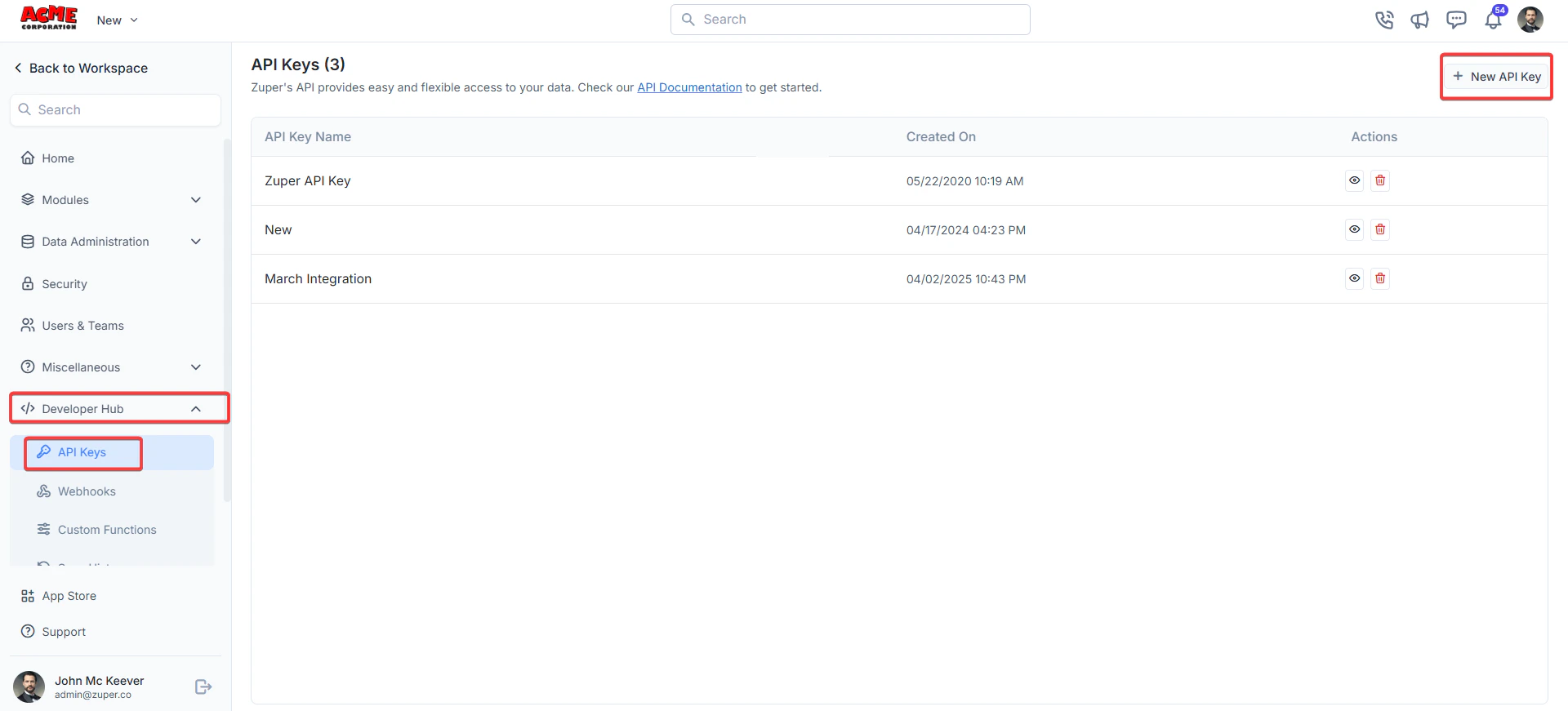
**Navigation**: *Settings -> Developer Hub -> API Keys*
1. From the settings, select “**Developer Hub**," choose “**API Keys**," and click "**+New API Key**."
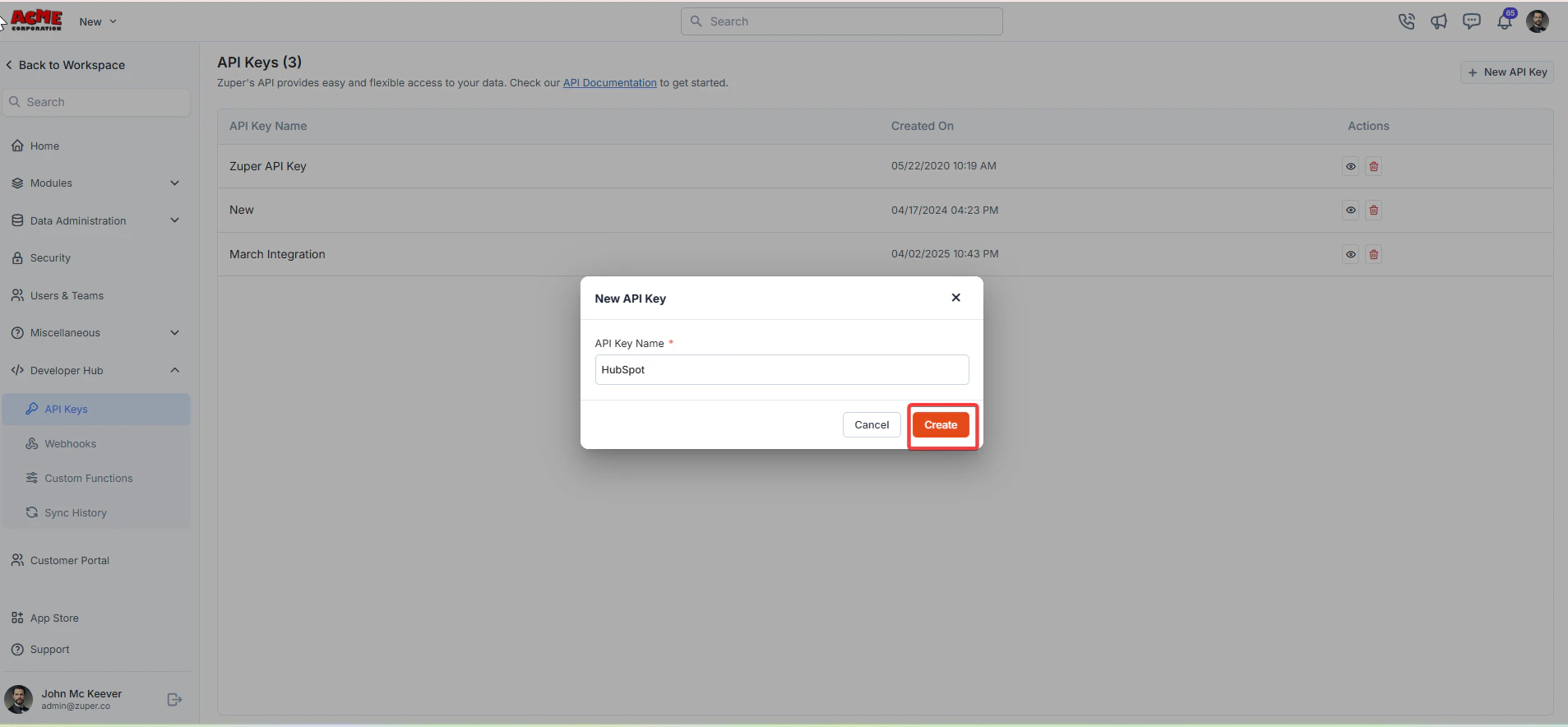
 2. A “**New API Key**” dialog box appears. Enter the “**API Key Name**.” Click the “**Create**” button to generate the API key.
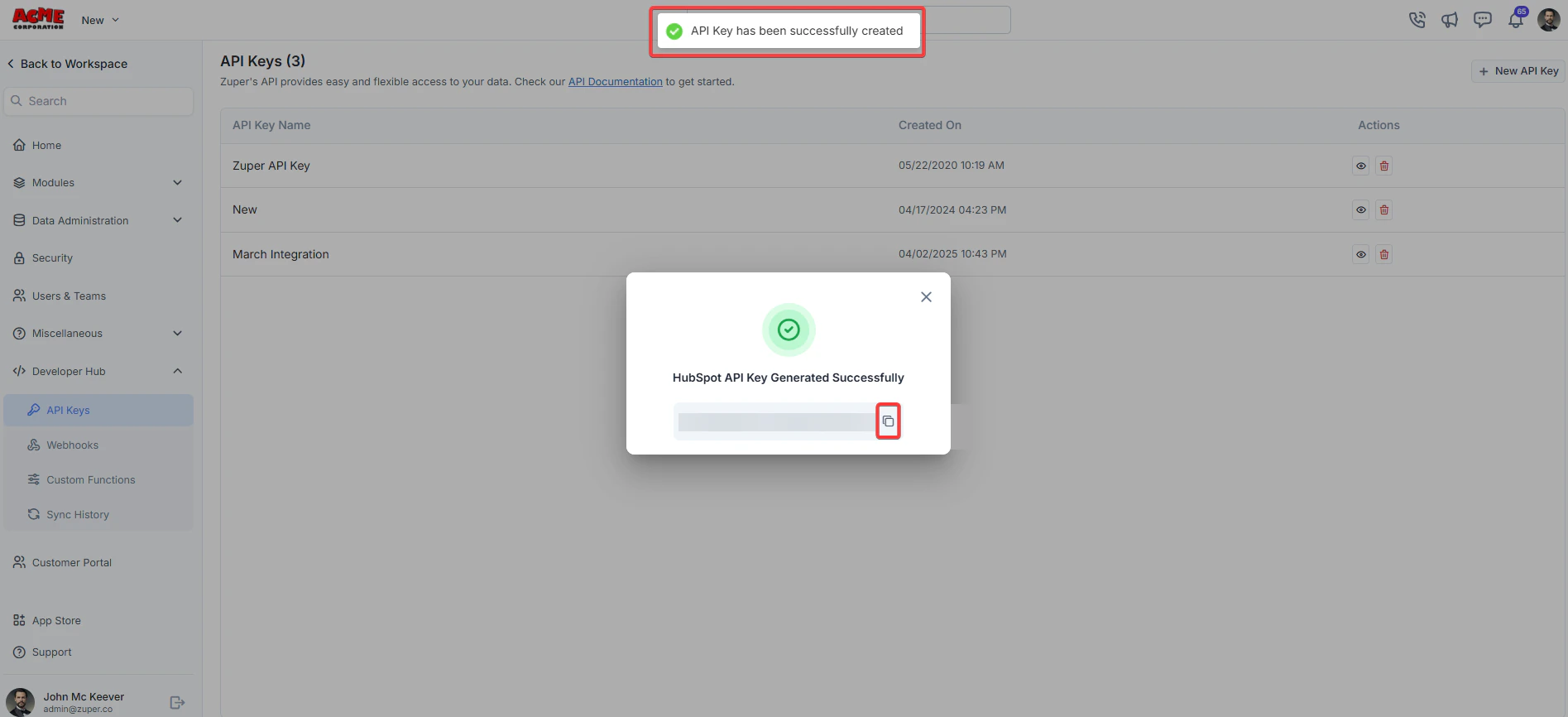
 3. The API key is successfully created. Click the button to copy the API key.
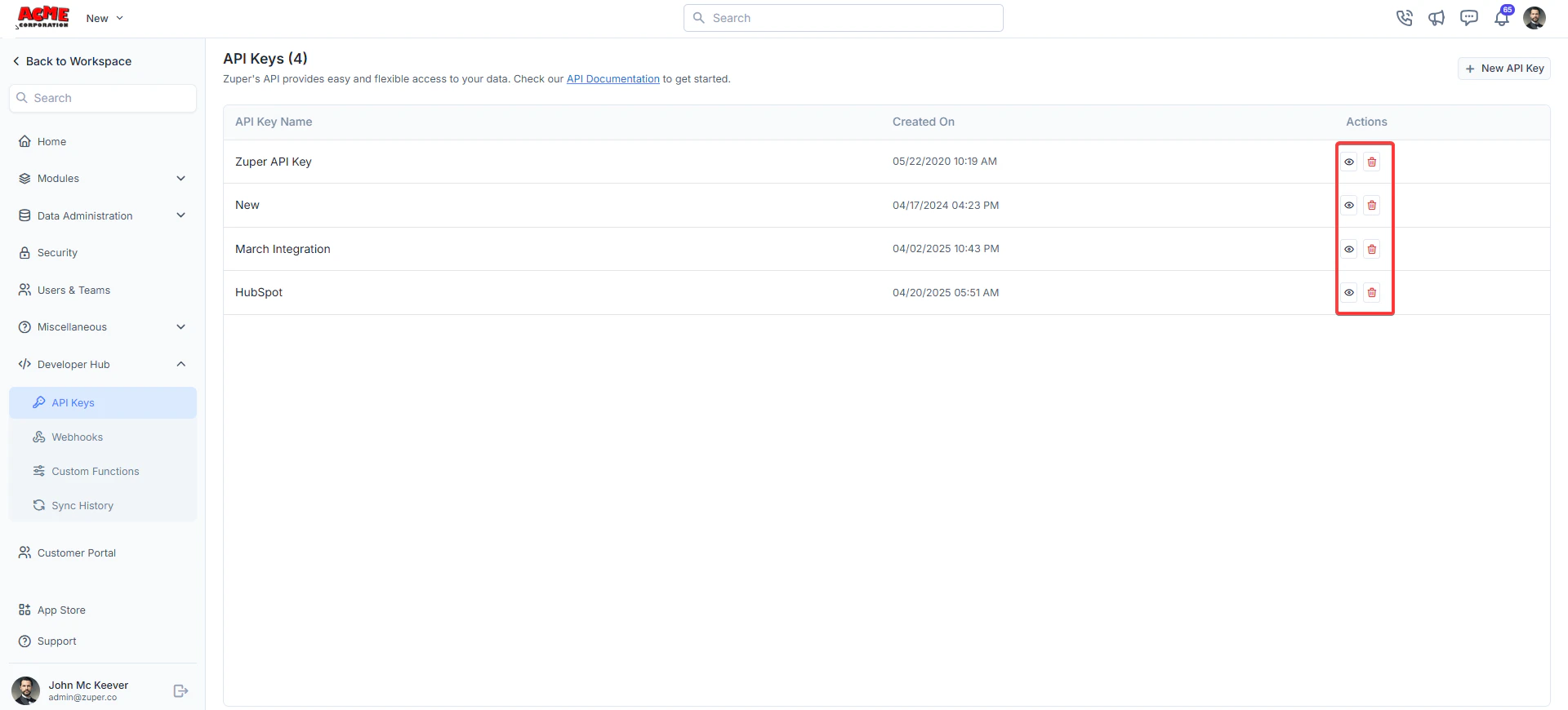
 4. Under “**Actions**,” you can view or delete the API key.
 Users can ensure their applications interact with Zuper's ecosystem efficiently and securely by generating and managing API keys.