> ## Documentation Index
> Fetch the complete documentation index at: https://zuperinc-section23.mintlify.site/llms.txt
> Use this file to discover all available pages before exploring further.
# Standard Proposal Template
The proposal templates are predefined templates to link the service packages. This template is a basic format for creating a quote proposal. You can customize it to include specific details related to your products or services.
**Navigation**: *Settings -> Modules -> Quotes and Invoices -> Proposal Templates*
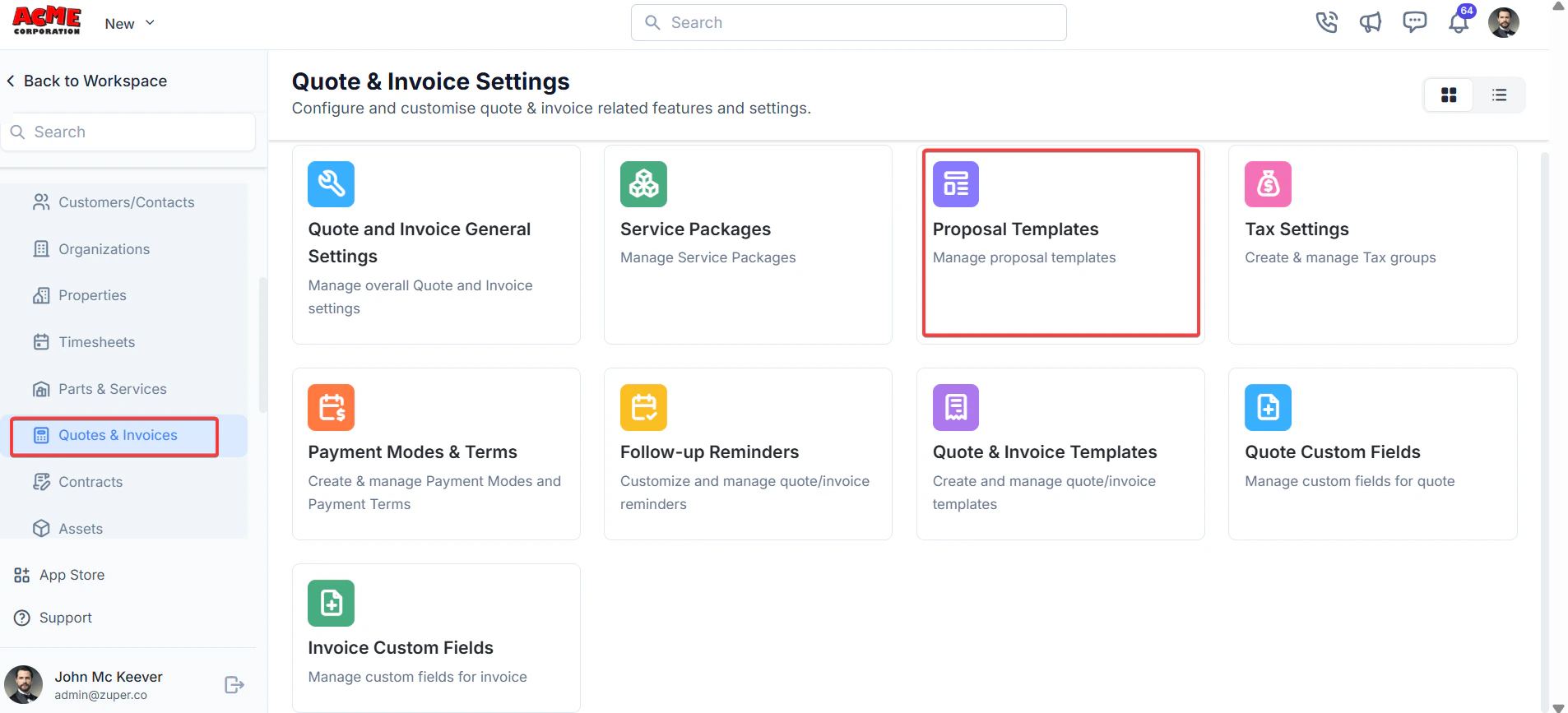
1. Select the “**Settings**” module from the left panel. Under the “**Modules**,” Choose the “**Quotes & Invoices**.” Select the “**Proposal Templates**.”
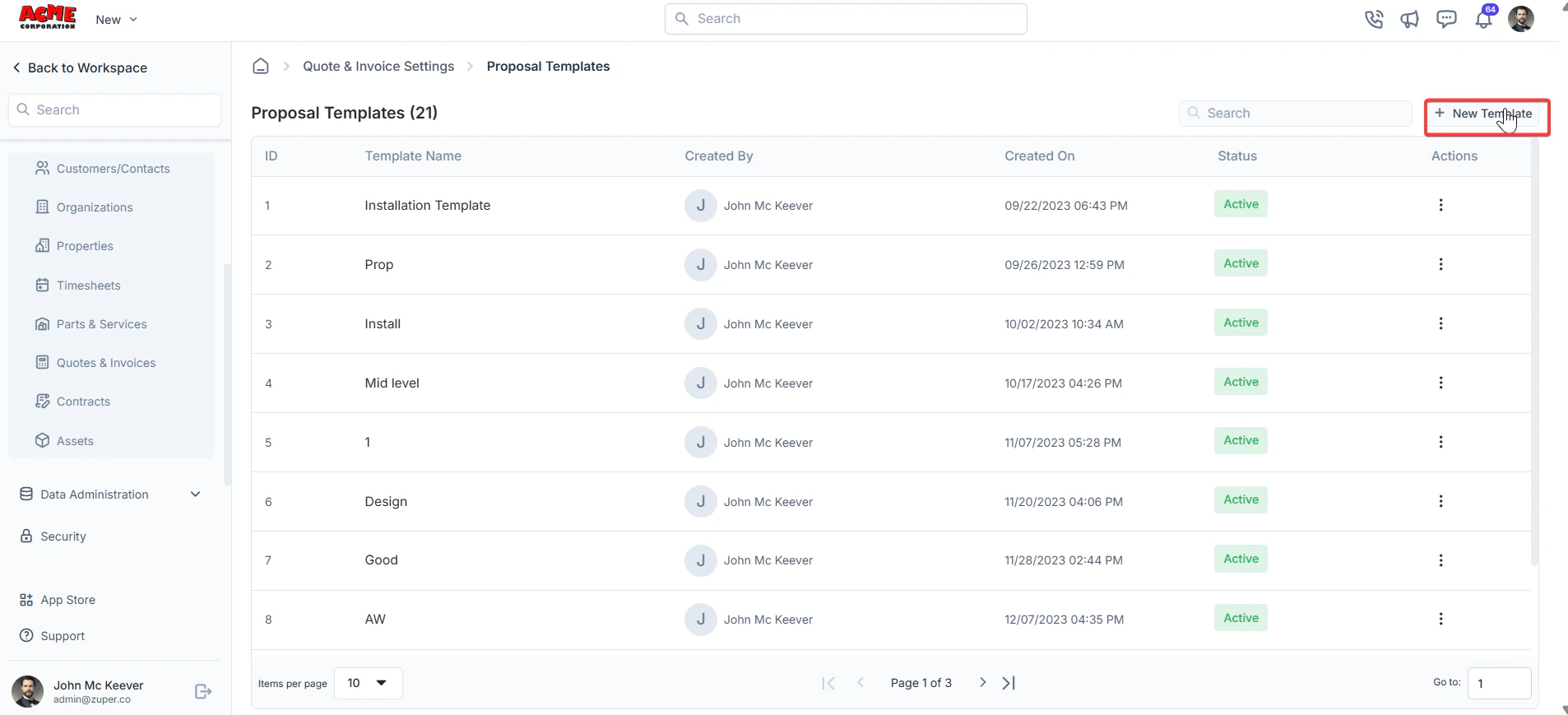
 2. Select the “**Proposal Templates**” and click “**+ New Template**.”
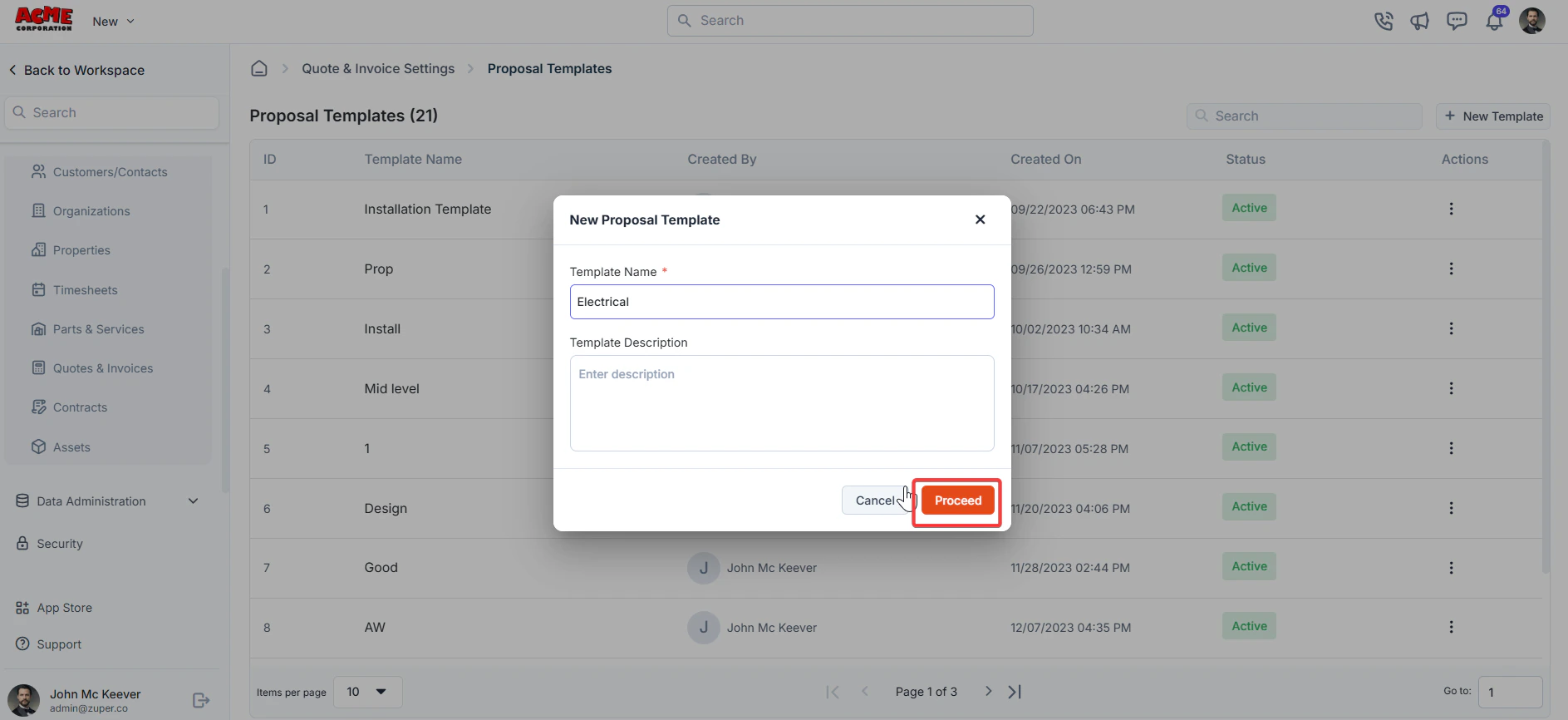
 2. Enter the template name and description. Click “**Proceed**” to enter the template details.
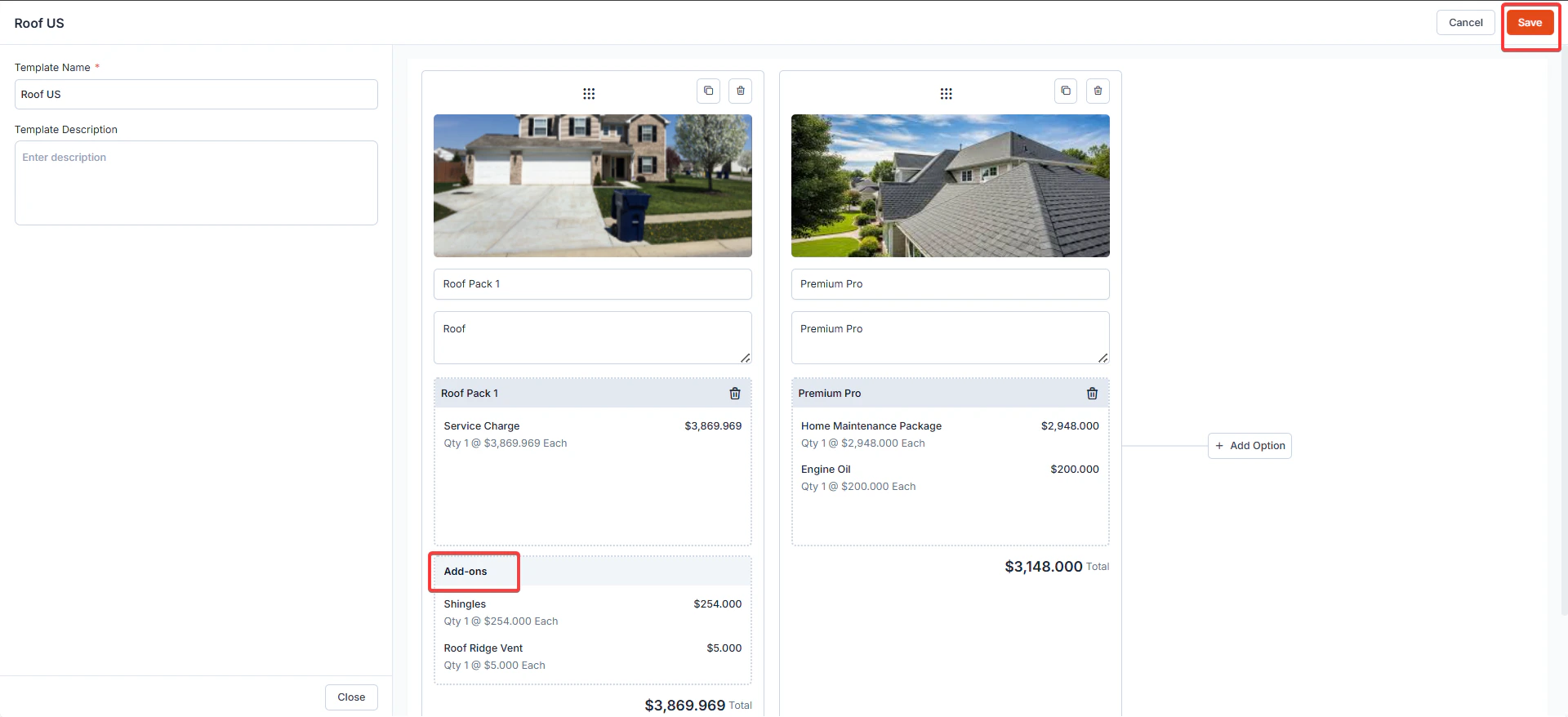
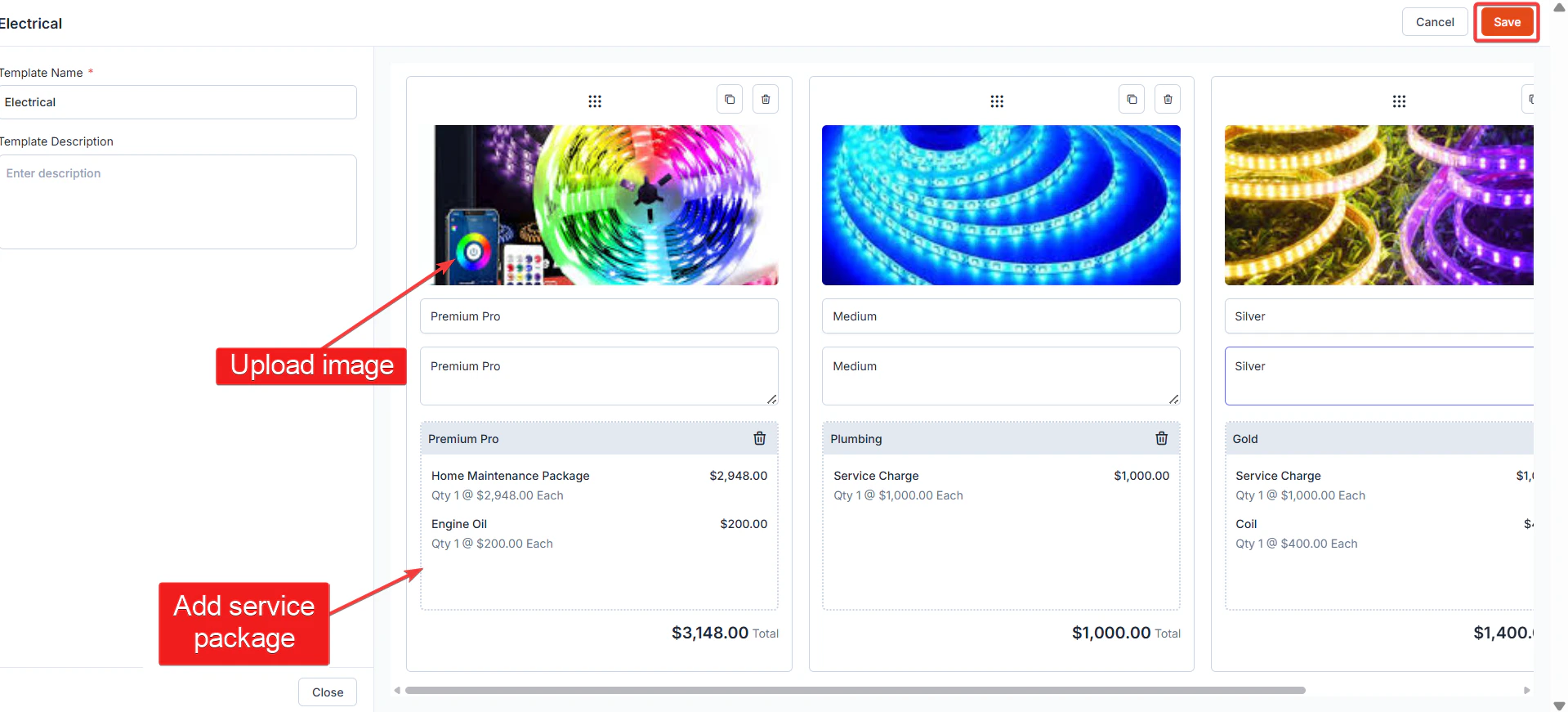
 3. Upload the image. Add the service packages. Click “**Save**” to create the proposal template.
 \
4\. Add-ons in the Proposal Template
When Add-ons are configured and linked to service packages, they automatically appear within proposal templates as **optional Add-ons**.
**Where Add-ons Appear?**
* Add-ons are displayed within each **proposal option card**, under a dedicated **Add-ons** section.
* They are grouped separately from the base service charges to clearly indicate that they are optional.
\
4\. Add-ons in the Proposal Template
When Add-ons are configured and linked to service packages, they automatically appear within proposal templates as **optional Add-ons**.
**Where Add-ons Appear?**
* Add-ons are displayed within each **proposal option card**, under a dedicated **Add-ons** section.
* They are grouped separately from the base service charges to clearly indicate that they are optional.