> ## Documentation Index
> Fetch the complete documentation index at: https://zuperinc-section23.mintlify.site/llms.txt
> Use this file to discover all available pages before exploring further.
# Configure automatic clock-in & clock-out
With Zuper's **Automatic Clock-In** and **Clock-Out** feature, tracking time has never been more seamless. This functionality ensures that users are automatically clocked in or out when they update job statuses, eliminating the hassle of manual time tracking. By including a helpful reminder to start a timer, this feature ensures that no work time goes unrecorded, providing the accuracy and efficiency necessary to keep your schedule organized.
Here’s how it works and how to enable this functionality:
## Enable automatic clock-in and clock-out
To get started, an admin must configure the settings:
1. **Log in** to Zuper using an admin account.
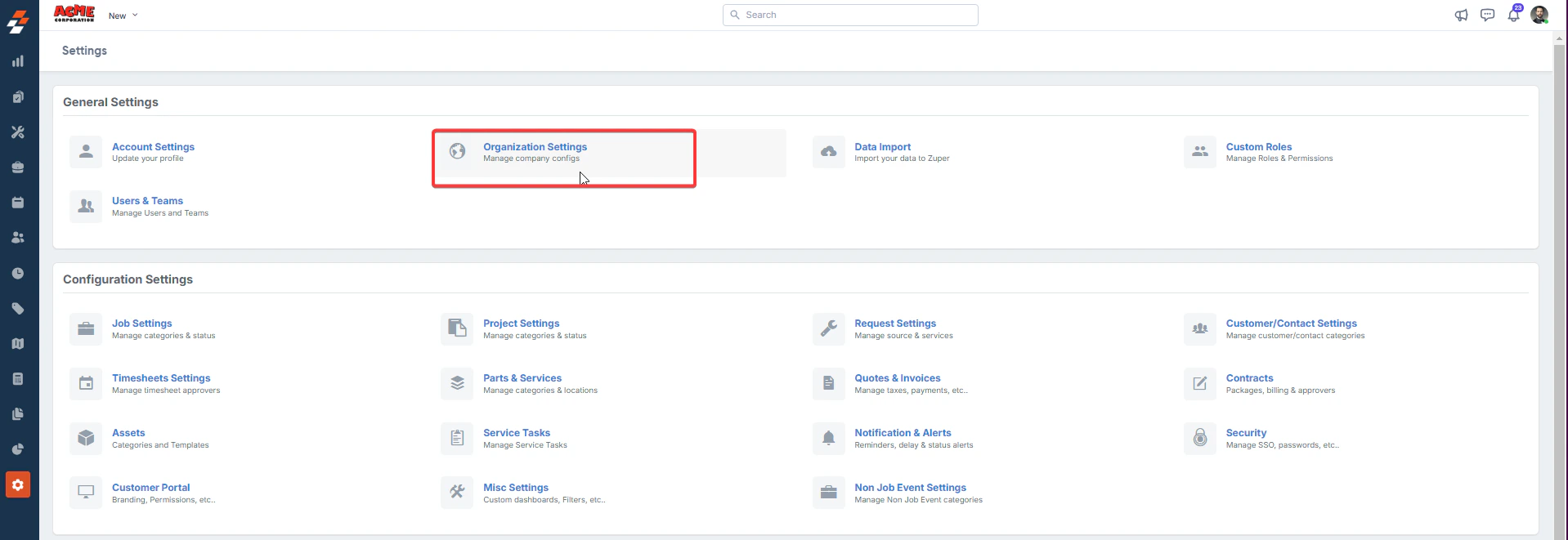
2. From the left-hand navigation menu, select the **Settings** module.
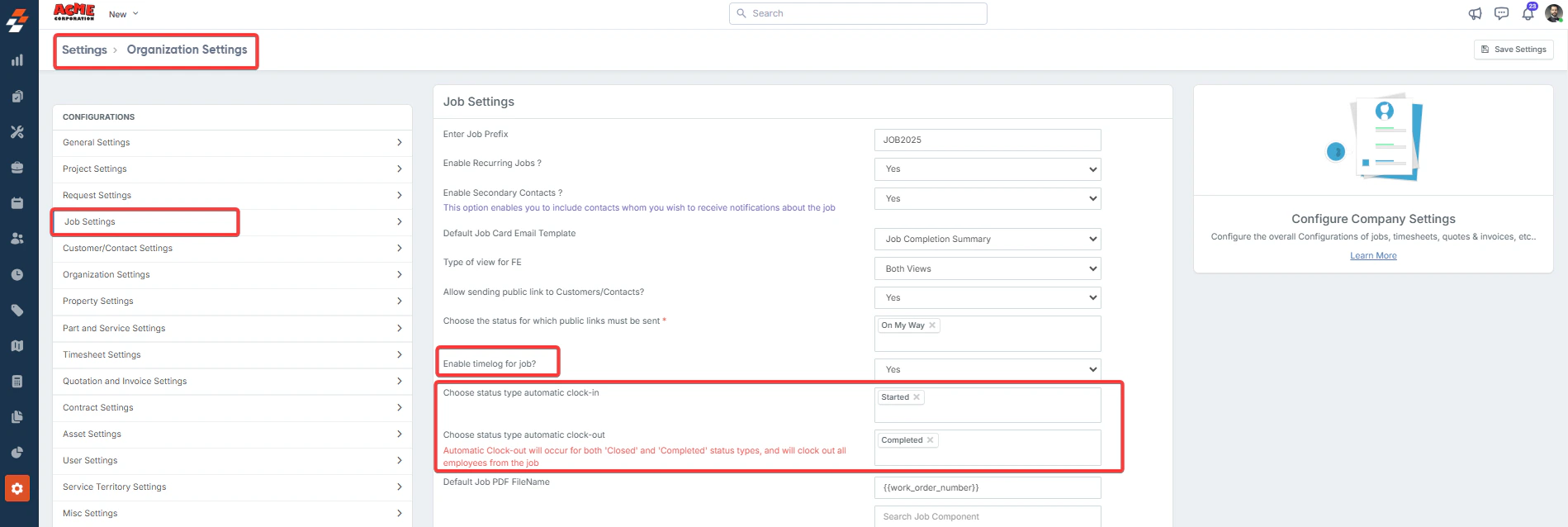
3. Go to the **Organization Settings** and open **Job Settings**.
 4. Ensure the **Enable Time Log for Job** is set to ***Yes***.
5. Configure the statuses as follows:
6. **Choose a status type for automatic clock-in**: Select the job status that triggers automatic clock-in (e.g., **Started**).
7. **Choose a status type for automatic clock-out**: Select the job statuses that trigger automatic clock-out (e.g., **Completed** or **Closed**). All assigned employees will also be clocked out for the job.
4. Ensure the **Enable Time Log for Job** is set to ***Yes***.
5. Configure the statuses as follows:
6. **Choose a status type for automatic clock-in**: Select the job status that triggers automatic clock-in (e.g., **Started**).
7. **Choose a status type for automatic clock-out**: Select the job statuses that trigger automatic clock-out (e.g., **Completed** or **Closed**). All assigned employees will also be clocked out for the job.