> ## Documentation Index
> Fetch the complete documentation index at: https://zuperinc-section23.mintlify.site/llms.txt
> Use this file to discover all available pages before exploring further.
# Create a Proposal for the Inspection Job
> Description of your new file.
## Overview
Creating proposals in Zuper helps roofing businesses transform inspection findings into actionable service offerings. The Proposal feature enables teams to prepare accurate, professional options directly from inspection jobs, ensuring that customers receive a clear scope of work, pricing, and terms without delays.
**Navigation**: Create Proposal from a Job: Jobs -->Job --> +(Left Panel) --> New Proposal
**Navigation**: New Proposal: Accounting --> Quotes --> Proposal
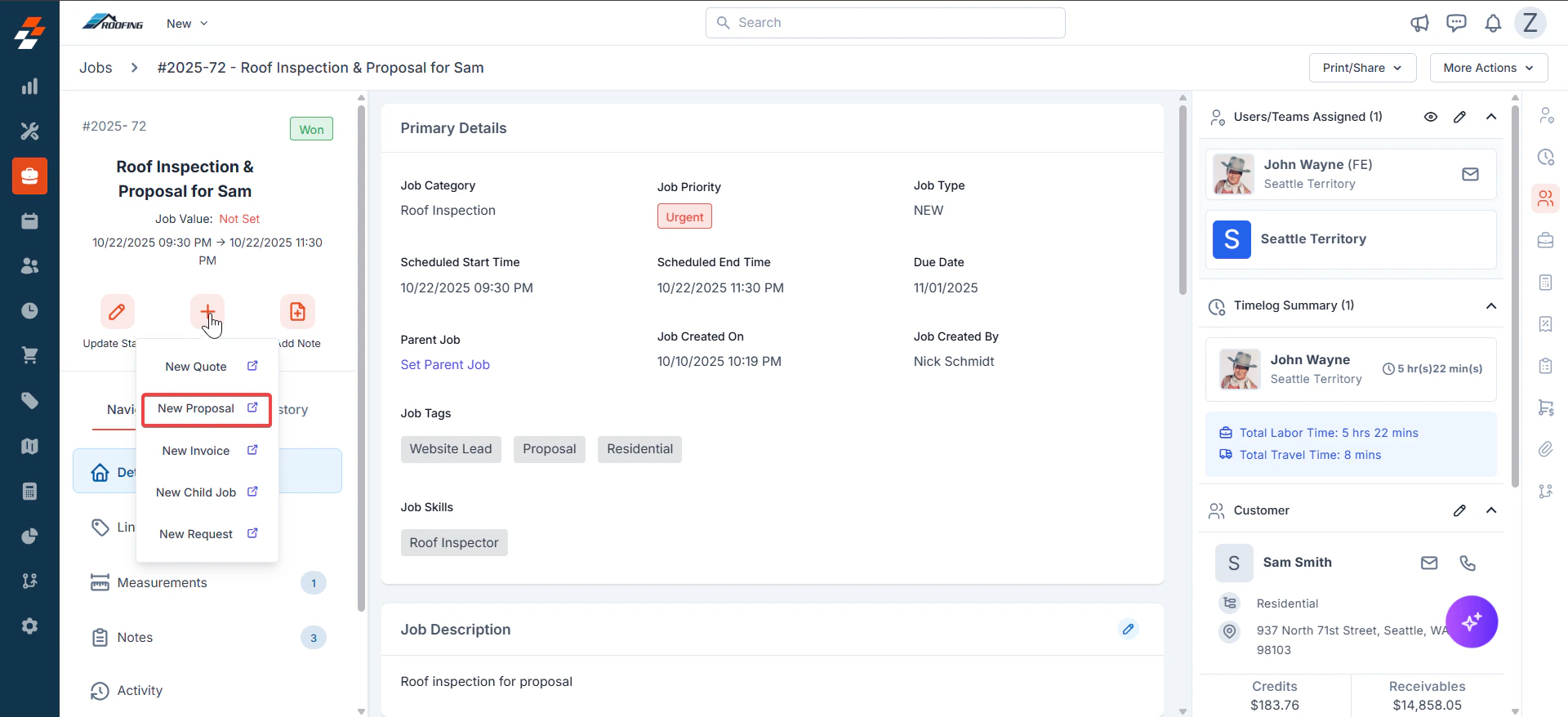
1. From the Inspection Job Details page, click "**+**" and select "**New Proposal**".
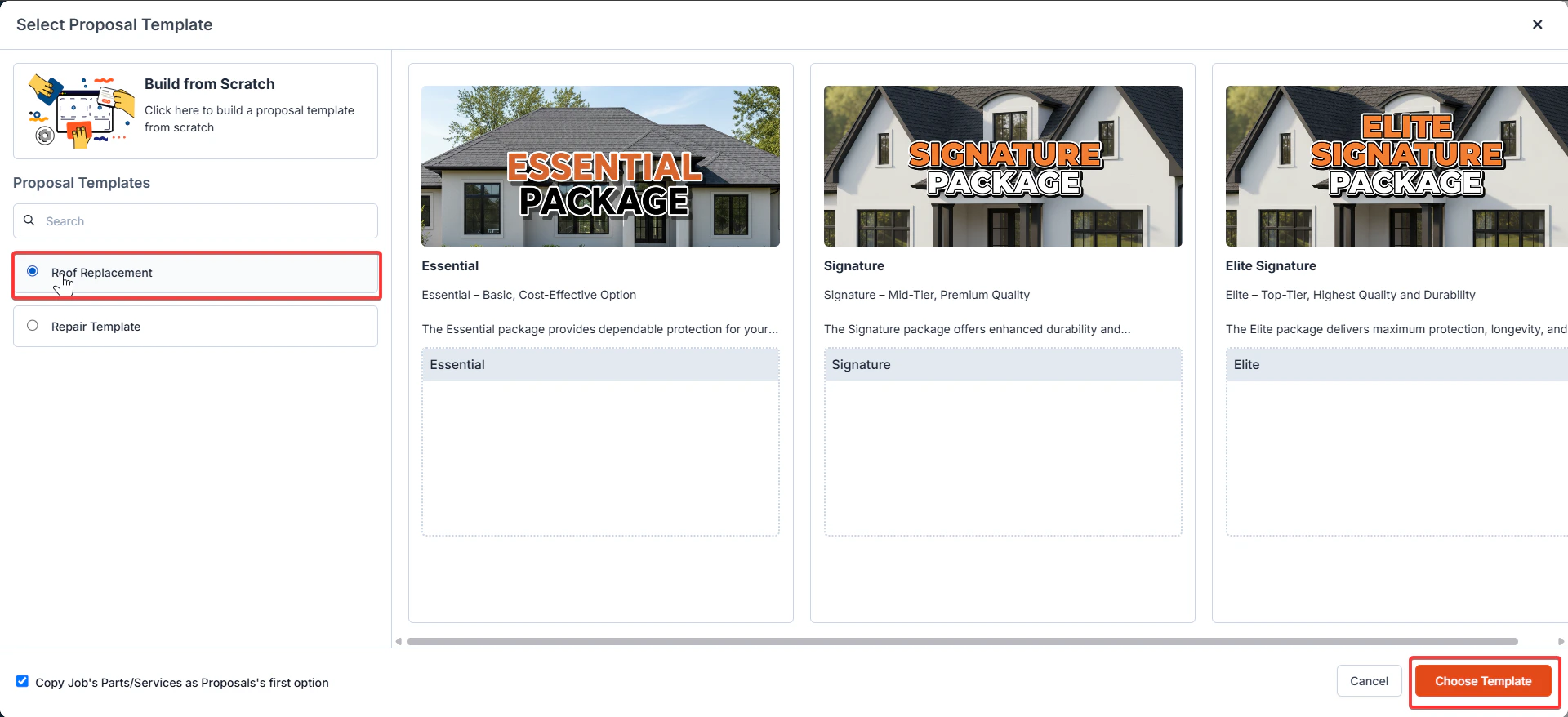
 2. Select the appropriate template for your proposal and click the "**Choose Template**" button.
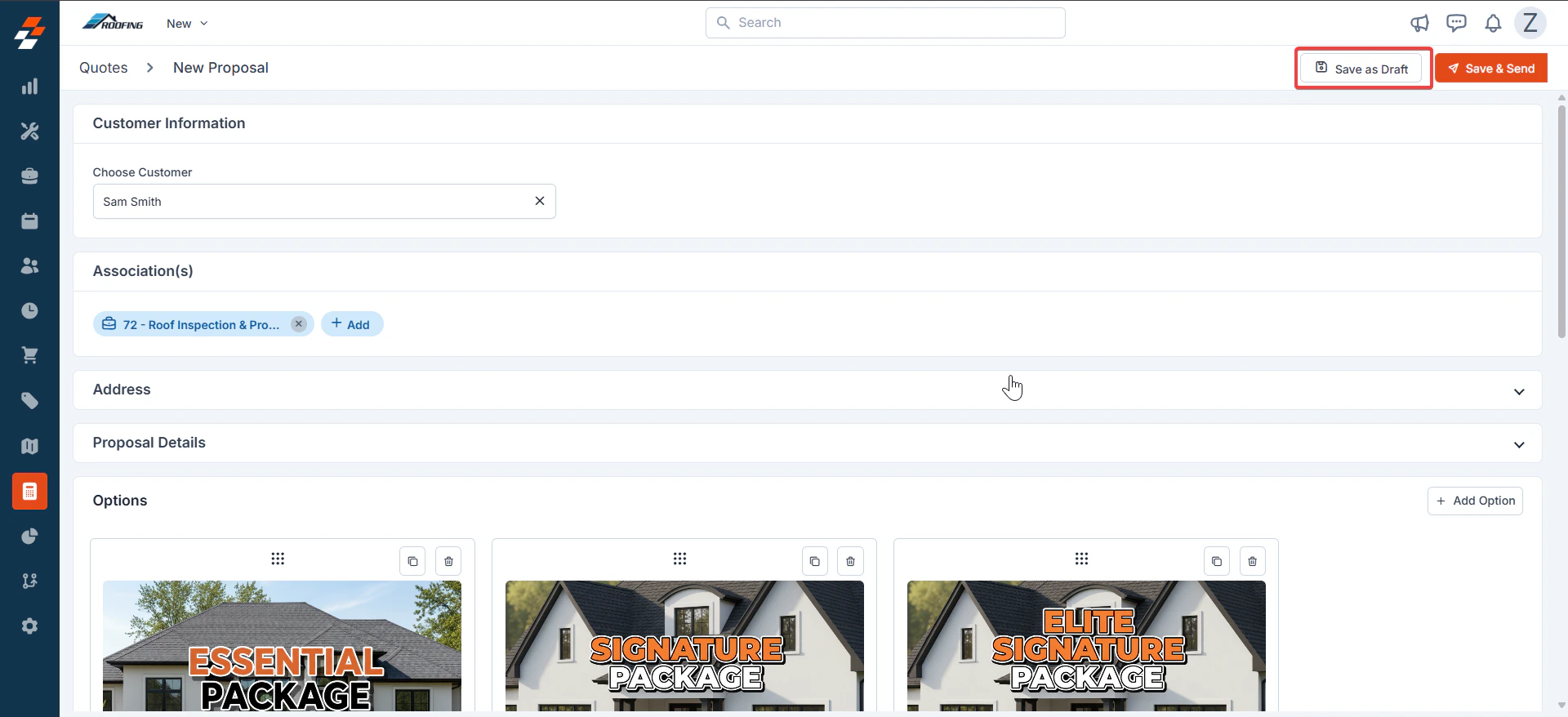
 3. A new Proposal Creation page will appear. Select either "**Customer**" or "**Organization**" to associate with the proposal.
The billing and service contact details are automatically populated based on the selected customer or organization.
Fill in the mandatory fields in the Proposal Details section:
• Proposal Title
• Proposal Date
• Expiry Date
• Quote Template
Click the Save button to save the proposal and proceed with sending it.
3. A new Proposal Creation page will appear. Select either "**Customer**" or "**Organization**" to associate with the proposal.
The billing and service contact details are automatically populated based on the selected customer or organization.
Fill in the mandatory fields in the Proposal Details section:
• Proposal Title
• Proposal Date
• Expiry Date
• Quote Template
Click the Save button to save the proposal and proceed with sending it.
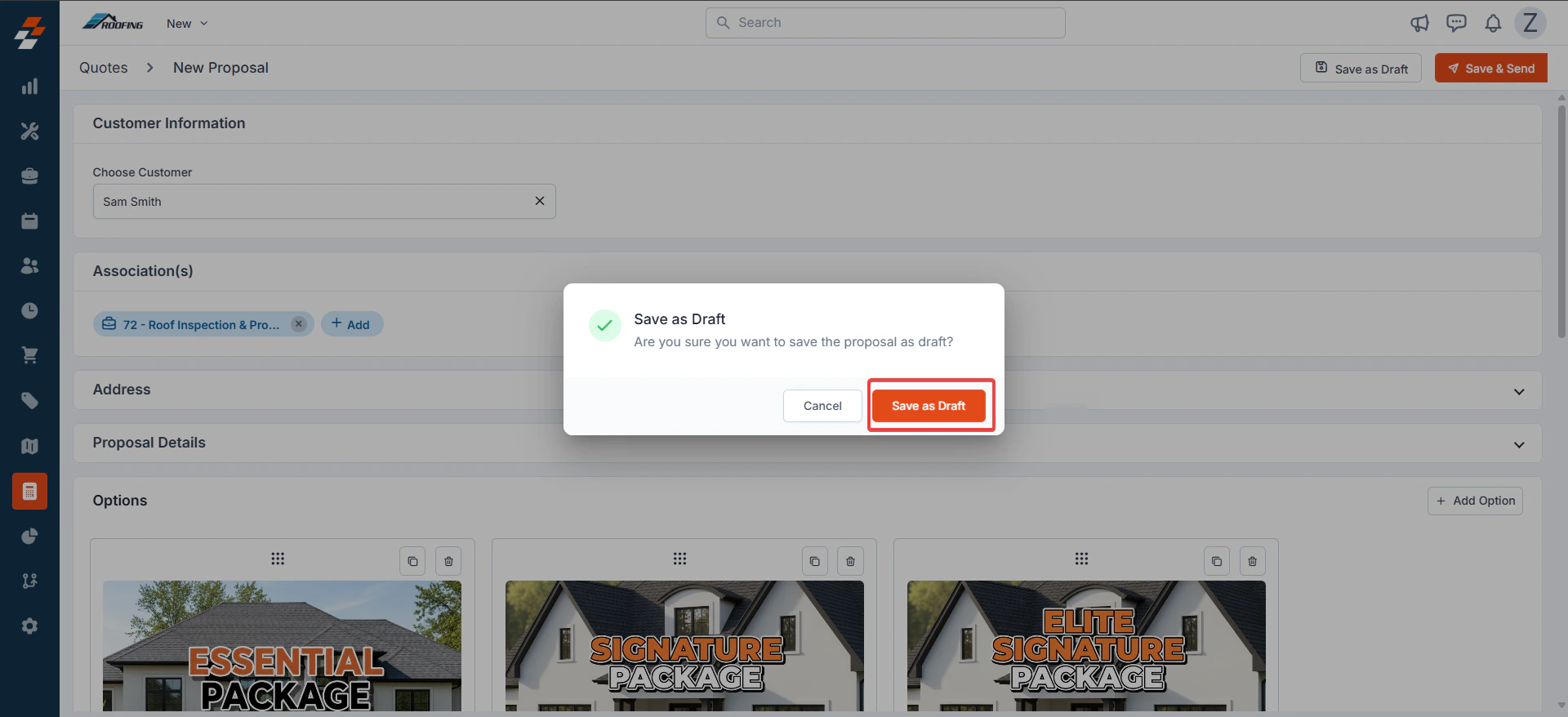
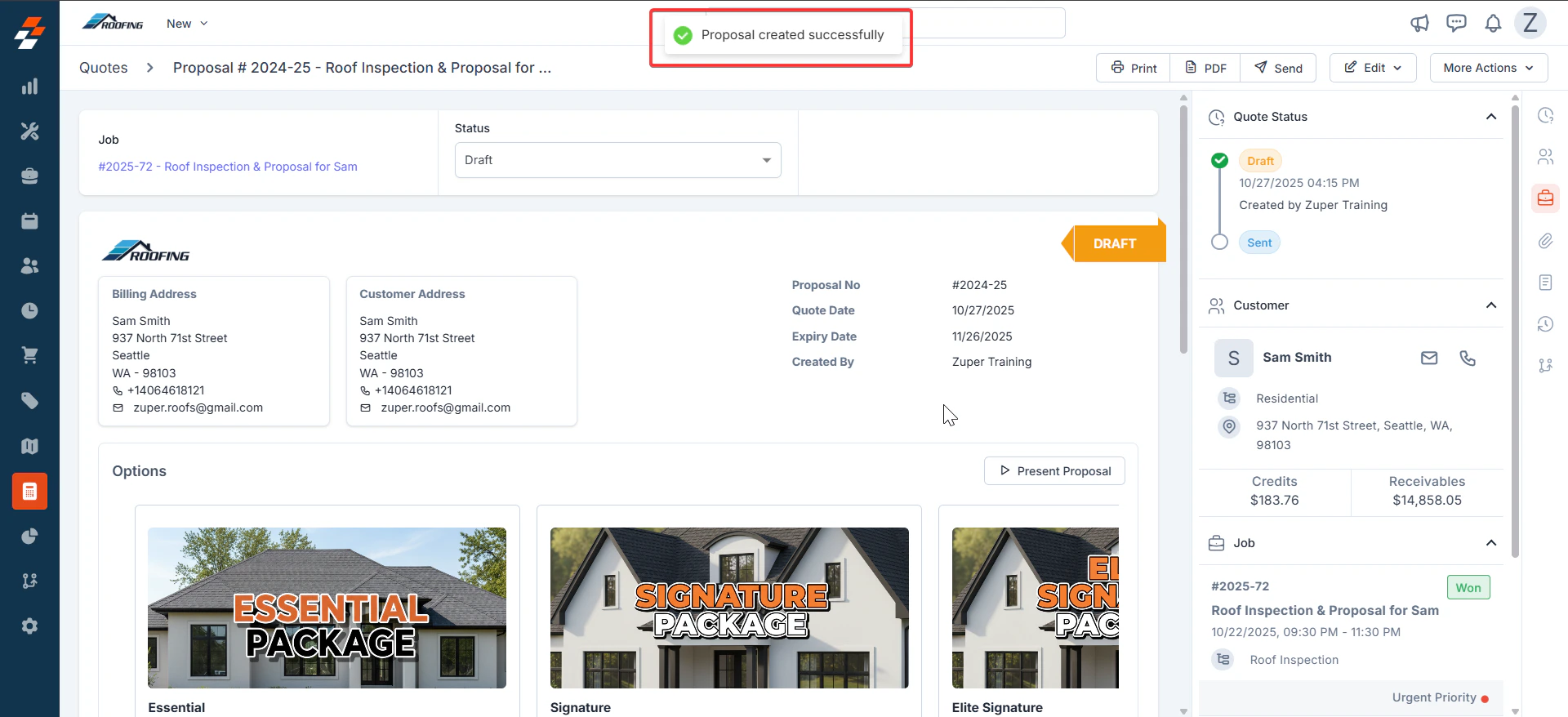 4. Click the "**Send**" button to send the proposal.
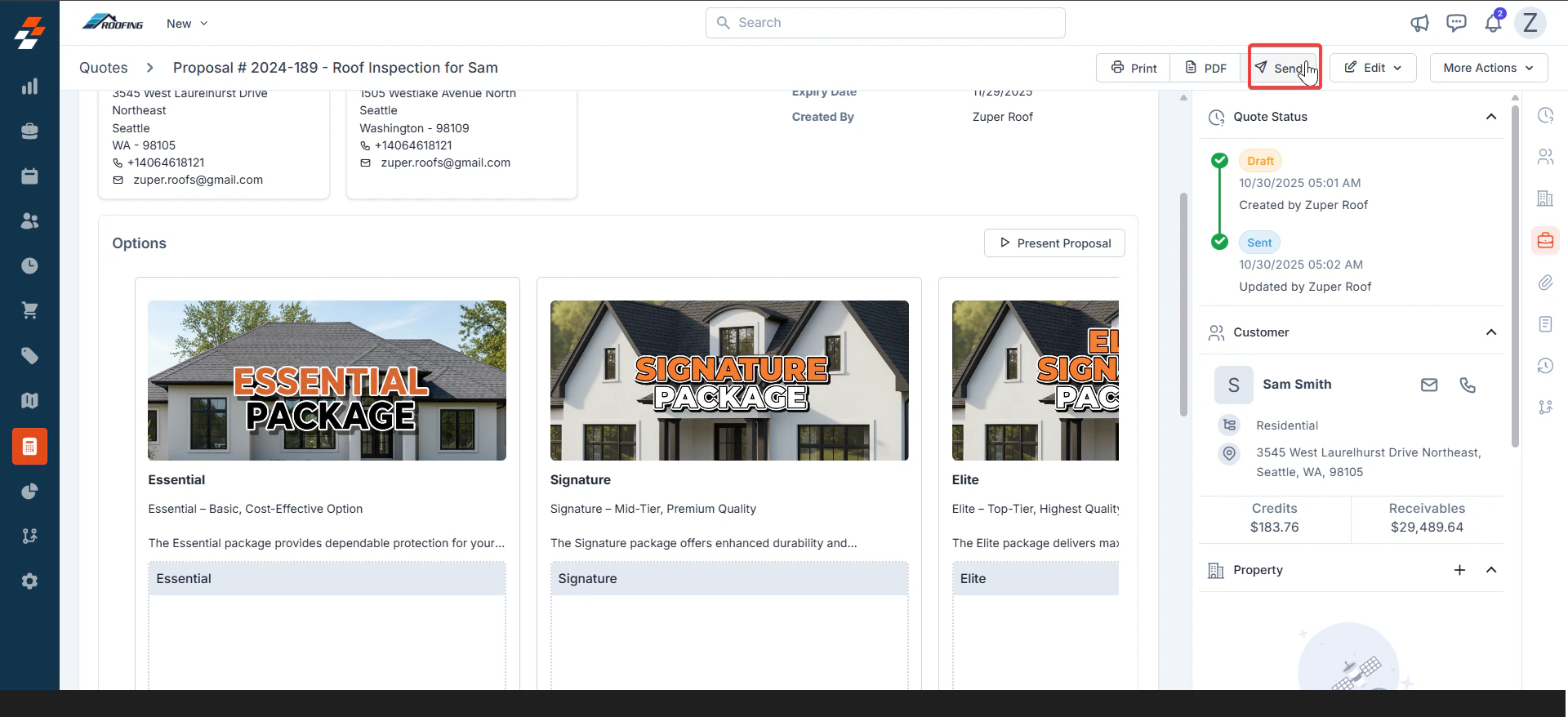 5. A dialog box appears, and click "**Send**" to send the proposal.
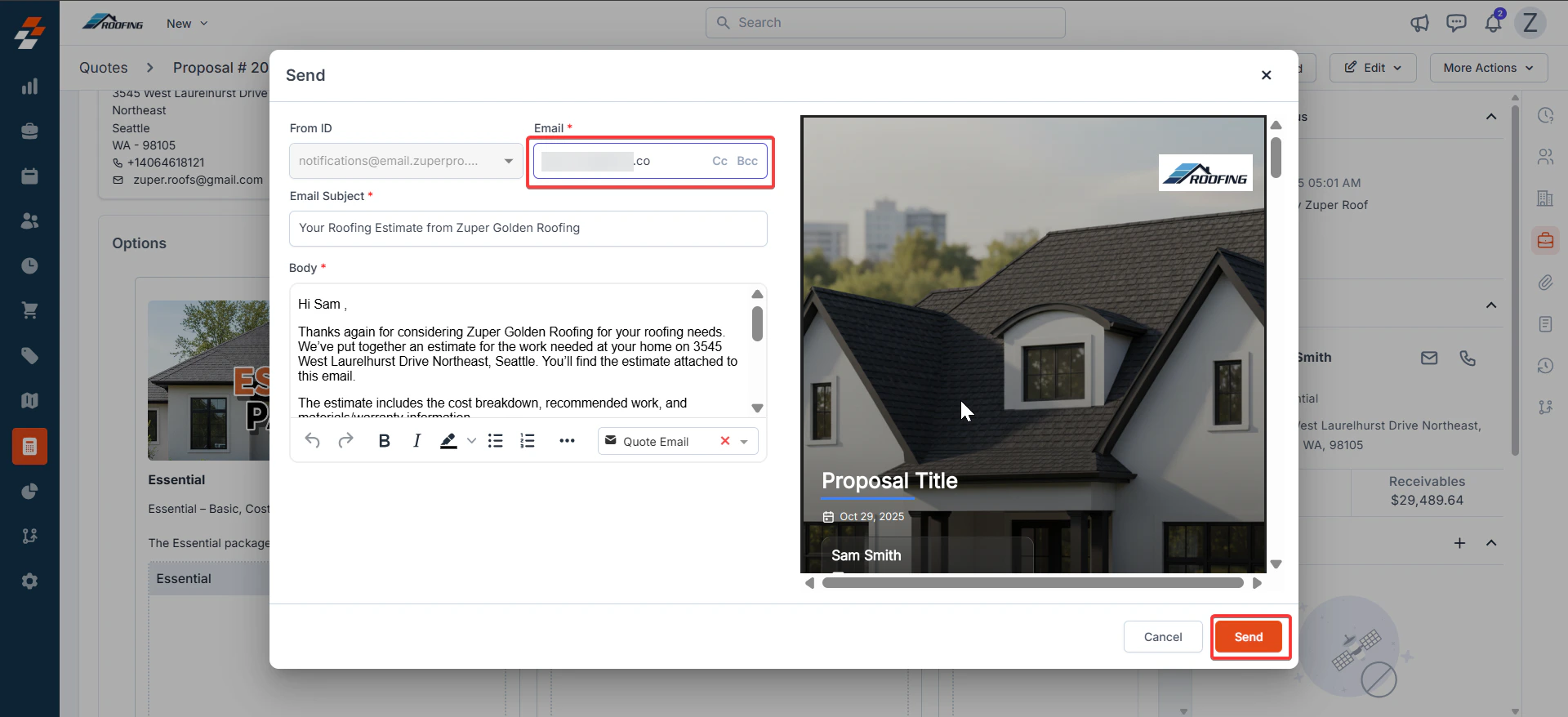 6. The proposal was sent successfully.
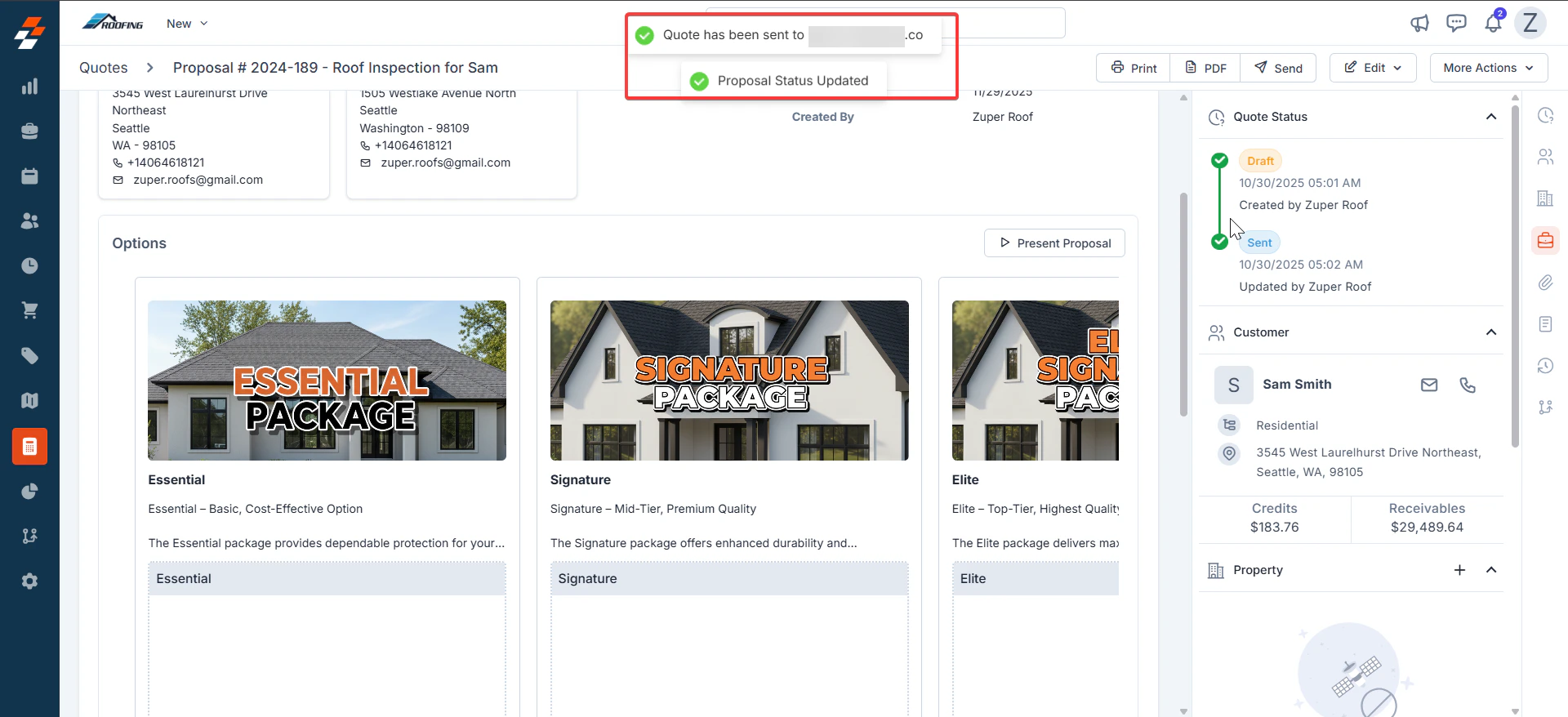 7. The customer receives an email to approve the proposal.
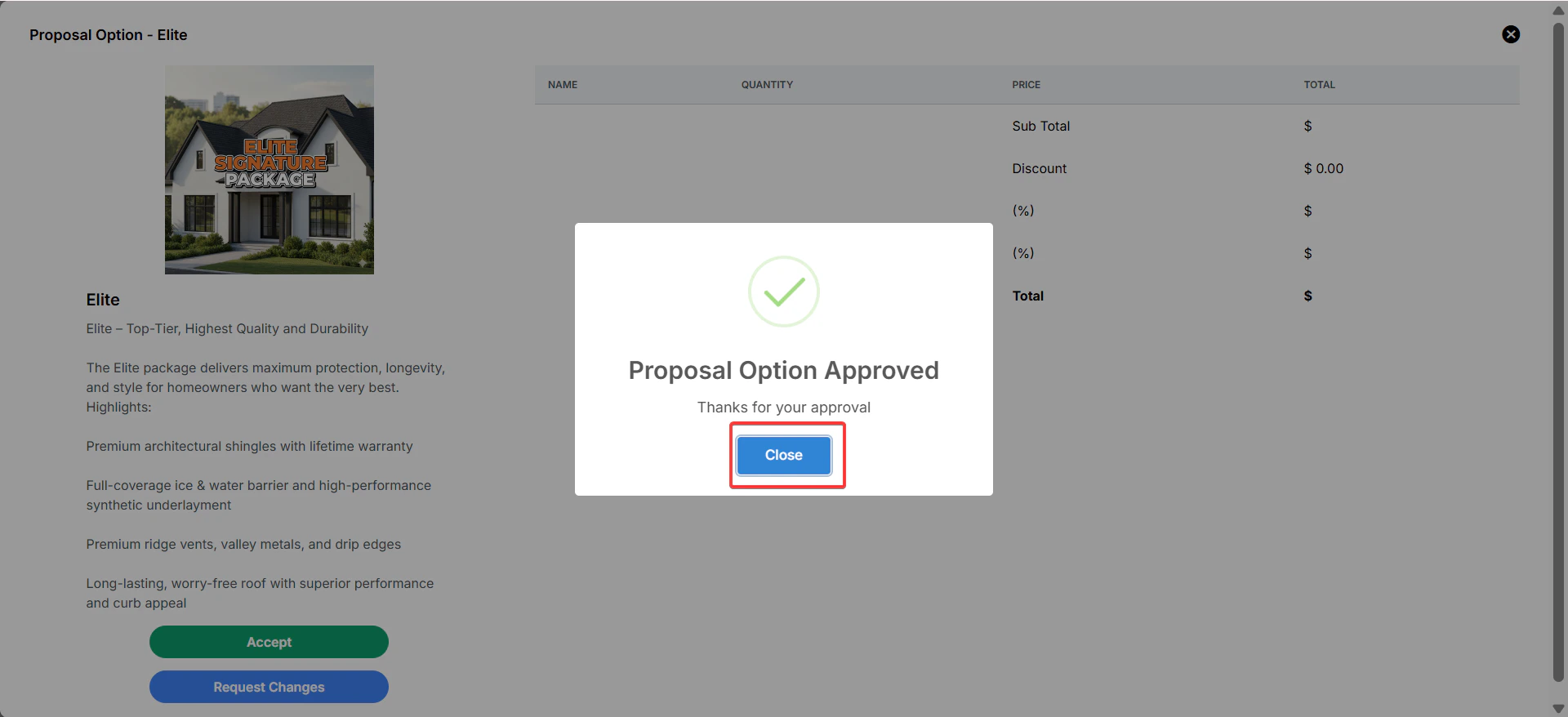
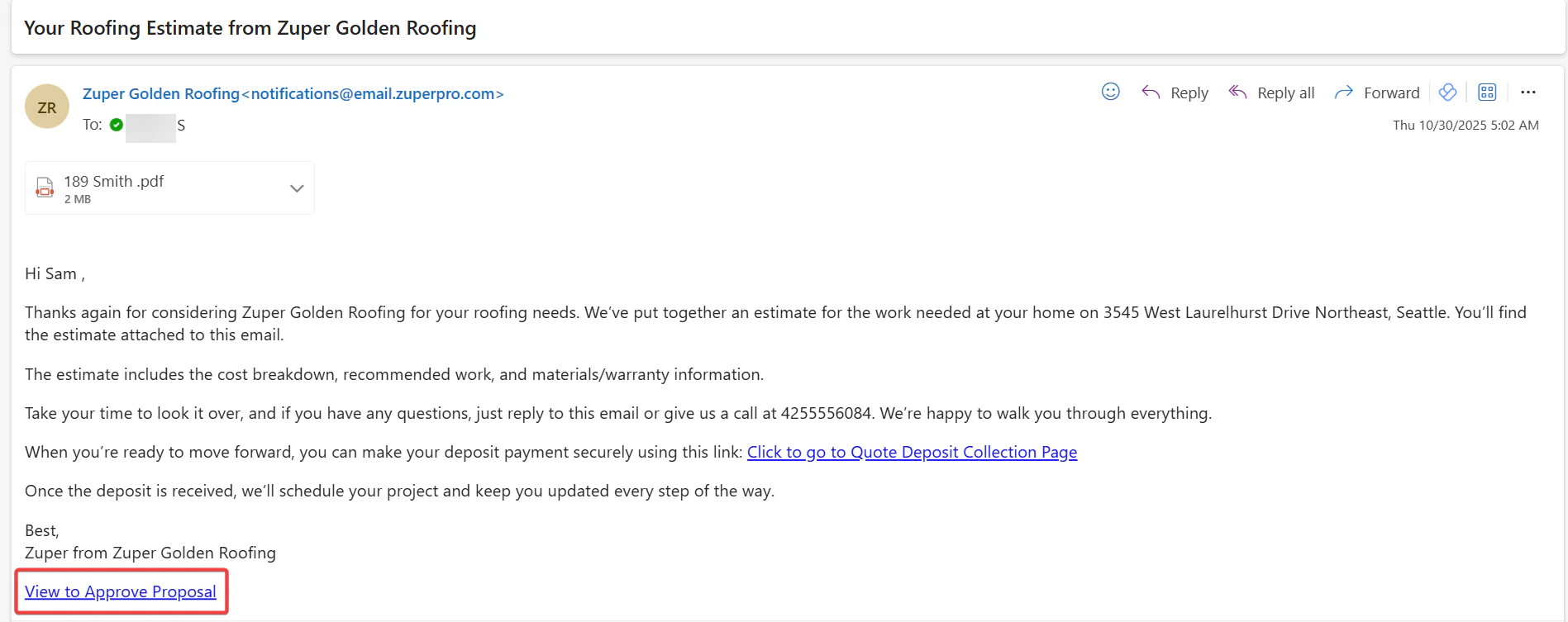 8. Select any one of the options to approve the proposal.
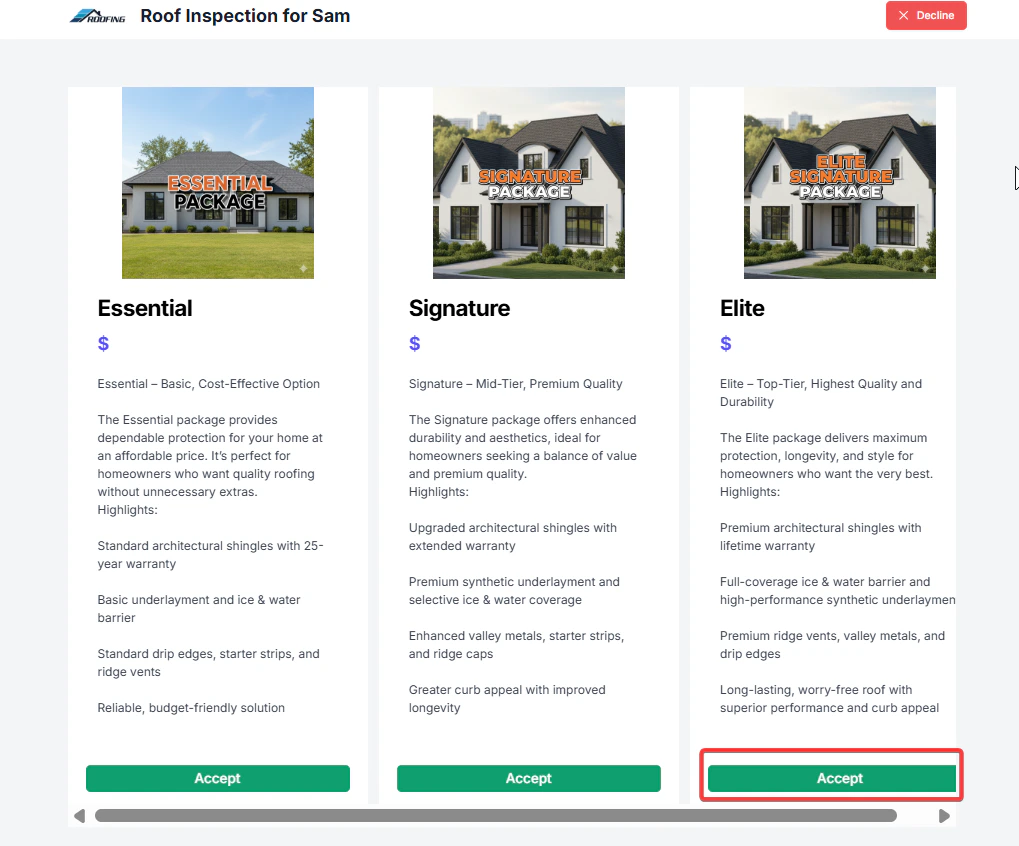
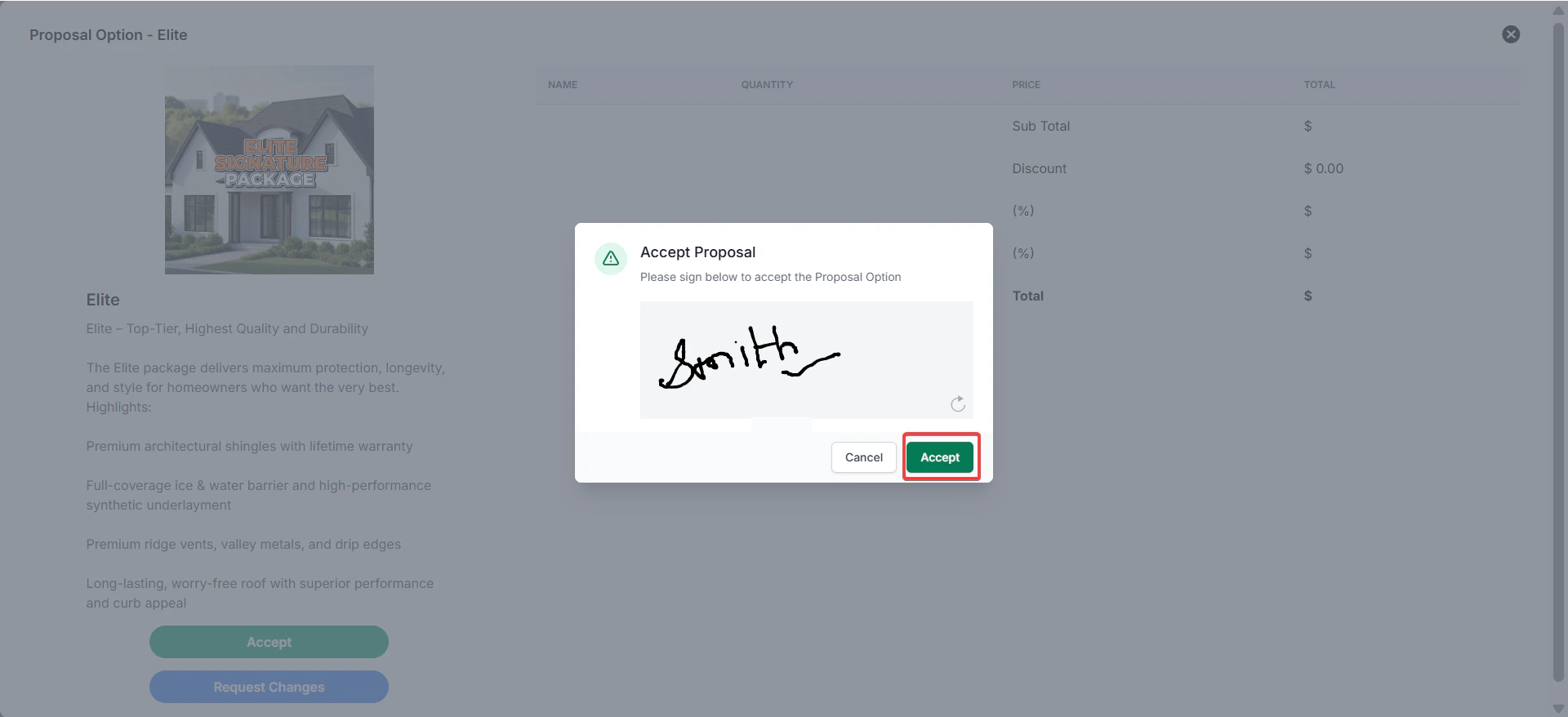
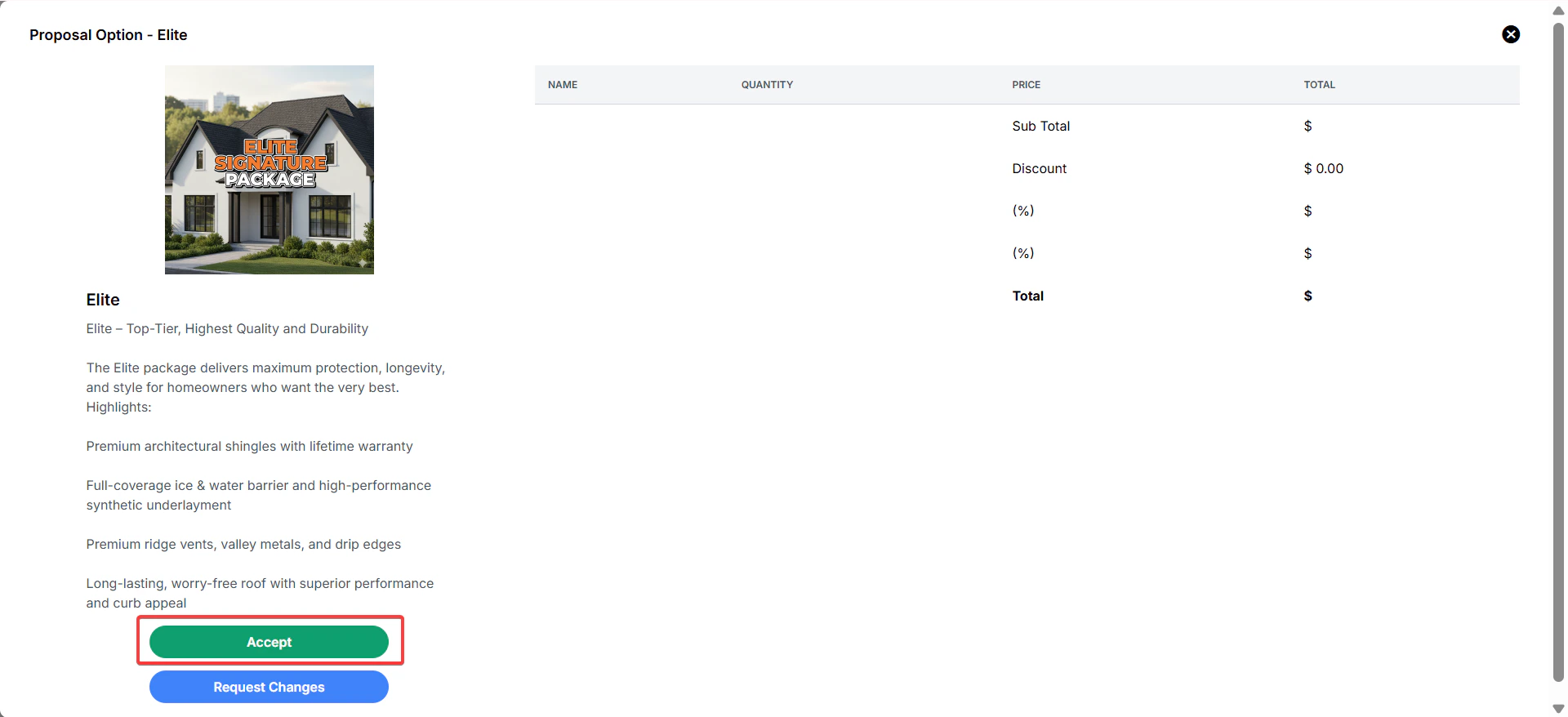 9. The signature is captured from the customer, and the proposal is accepted.
 By using Zuper Proposals, businesses can accelerate the approval process, enhance customer communication, and maintain a transparent workflow from inspection to job execution. This streamlined approach not only improves efficiency but also fosters customer trust and accelerates project conversion.
## Frequently asked questions
1. **What if the job data and the configured CPQ template do not match?**
If the job data and the CPQ template configuration are mismatched, you may see the **“Missing Required Job Fields”** warning in your proposal preview.
2. **What happens if a pricelist is assigned to the proposal?**
When you assign a pricelist to a CPQ proposal, the pricelist's pricing rules apply normally to all line items by default.
However, if a line item has an **Adjusted Markup** defined either directly on the line item or through a conditional rule, that line item is automatically excluded from price list recalculations.\
This preserves your custom markup changes and gives them priority, while the pricelist continues to control pricing for all other unchanged items.
By using Zuper Proposals, businesses can accelerate the approval process, enhance customer communication, and maintain a transparent workflow from inspection to job execution. This streamlined approach not only improves efficiency but also fosters customer trust and accelerates project conversion.
## Frequently asked questions
1. **What if the job data and the configured CPQ template do not match?**
If the job data and the CPQ template configuration are mismatched, you may see the **“Missing Required Job Fields”** warning in your proposal preview.
2. **What happens if a pricelist is assigned to the proposal?**
When you assign a pricelist to a CPQ proposal, the pricelist's pricing rules apply normally to all line items by default.
However, if a line item has an **Adjusted Markup** defined either directly on the line item or through a conditional rule, that line item is automatically excluded from price list recalculations.\
This preserves your custom markup changes and gives them priority, while the pricelist continues to control pricing for all other unchanged items.