

Note: This feature is available only on select Zuper plans. To enable it for your account, please contact your account administrator or email us at support@zuper.co
Accessing the AI Call Summary
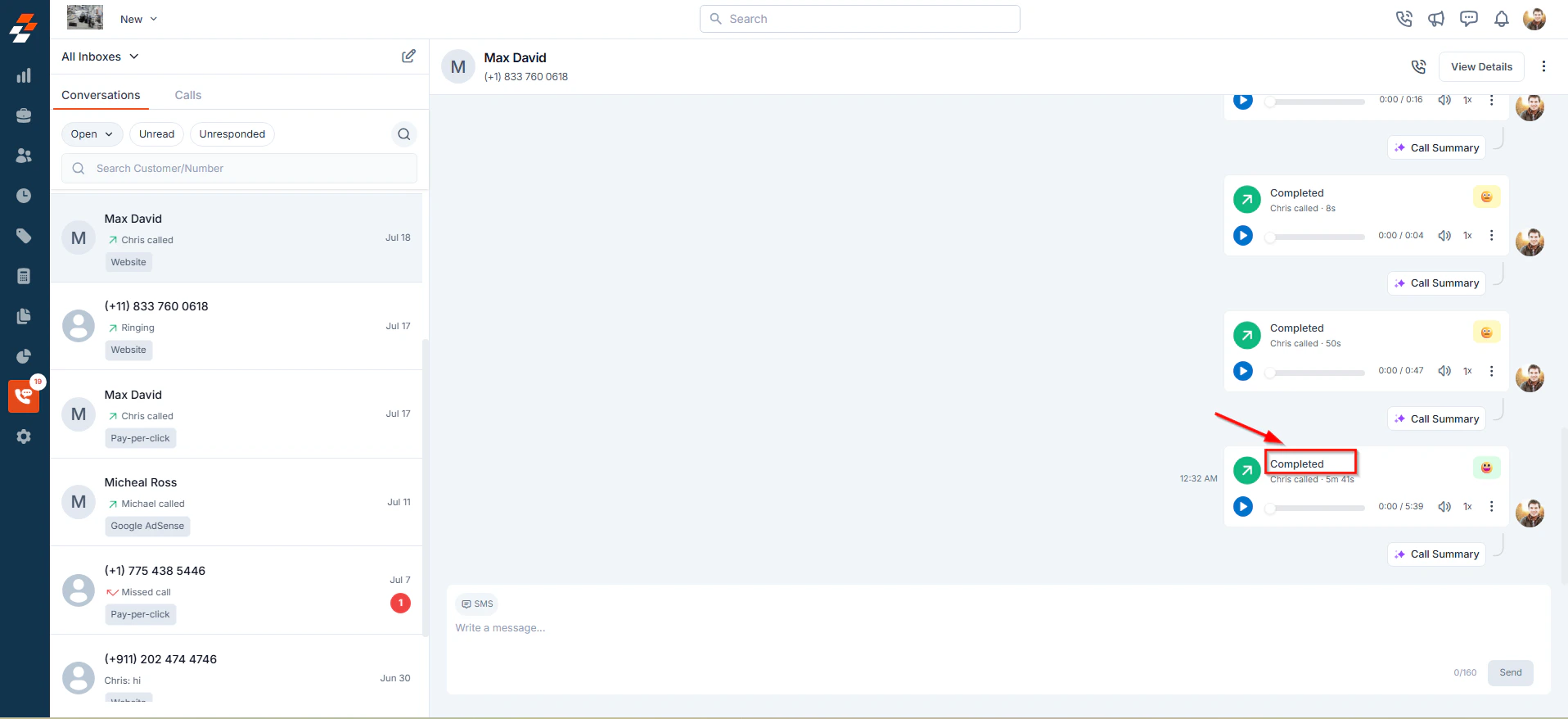
To view an AI-generated call summary:- From the left navigation menu, click Zuper Connect.
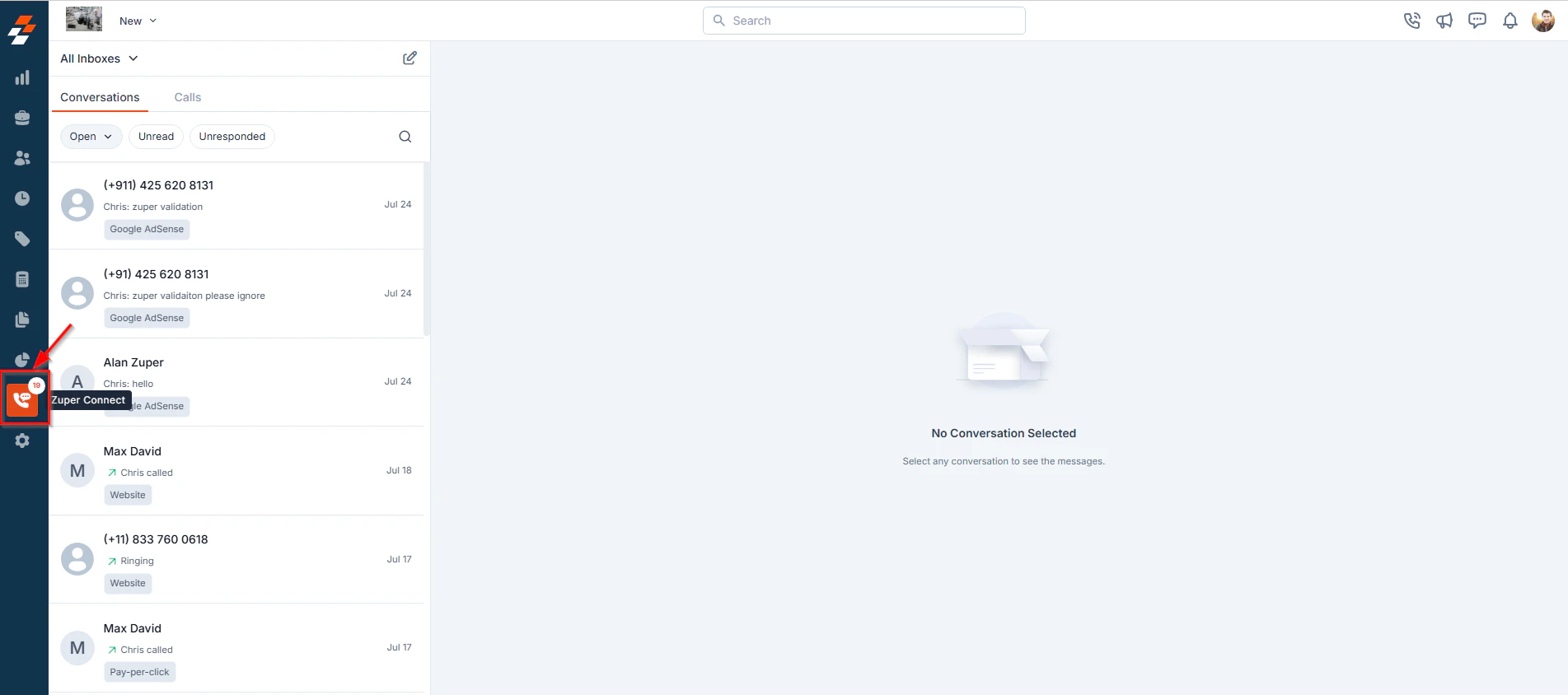
- You will be directed to the Conversations Listing page.
- Click on a conversation from the Conversations Listing page to open a Conversation Thread view.
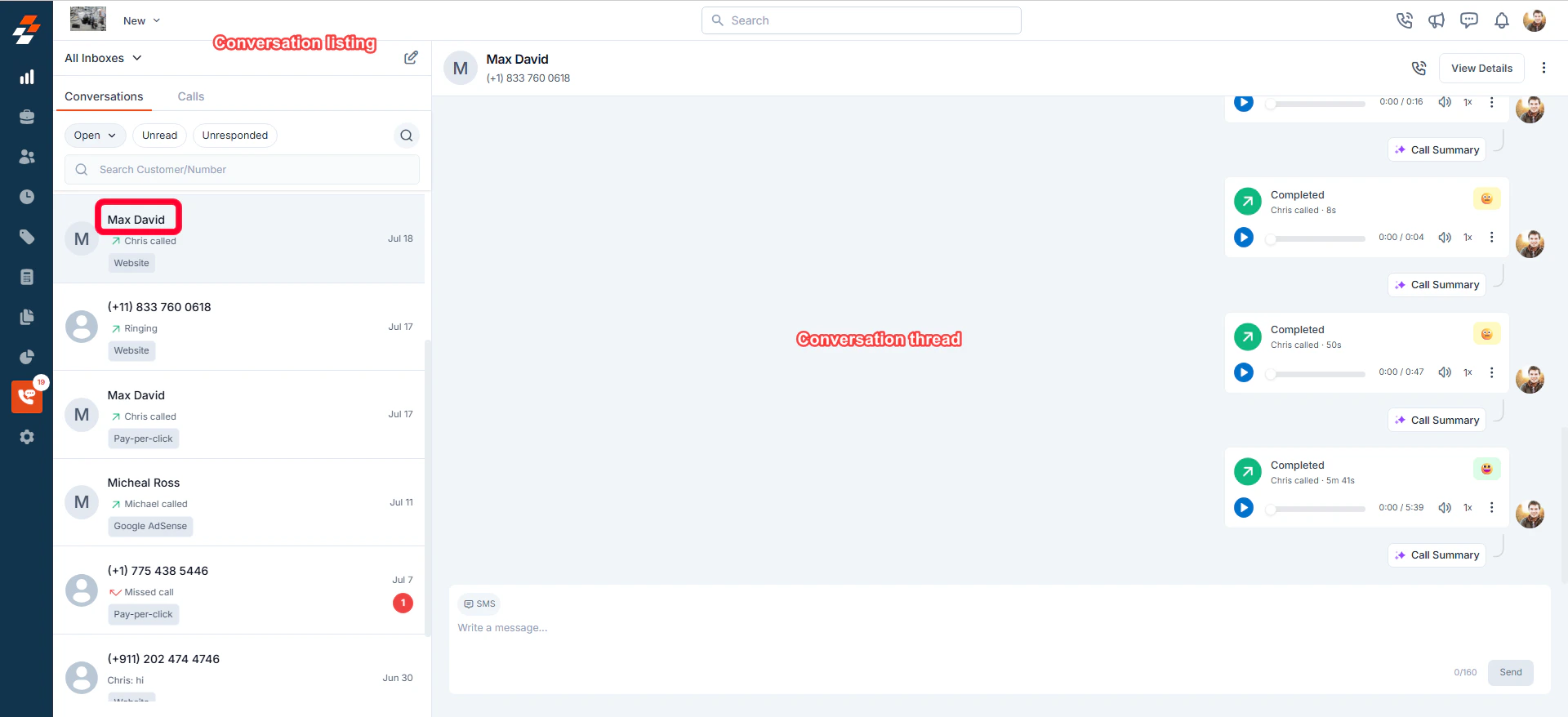
- You can see a chronological history of all interactions related to that conversation, including Incoming/Outgoing calls, Messages, delivery status & duration of each call.
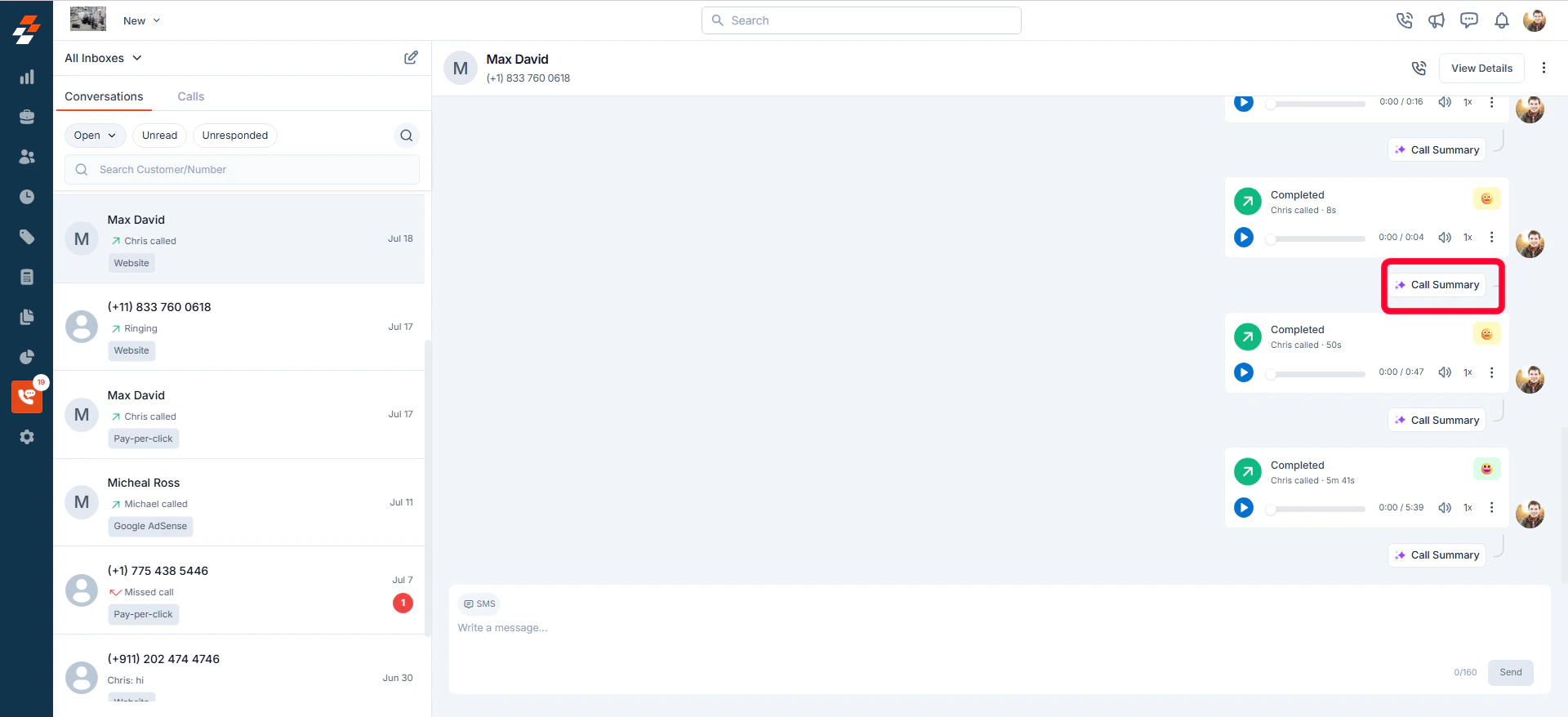
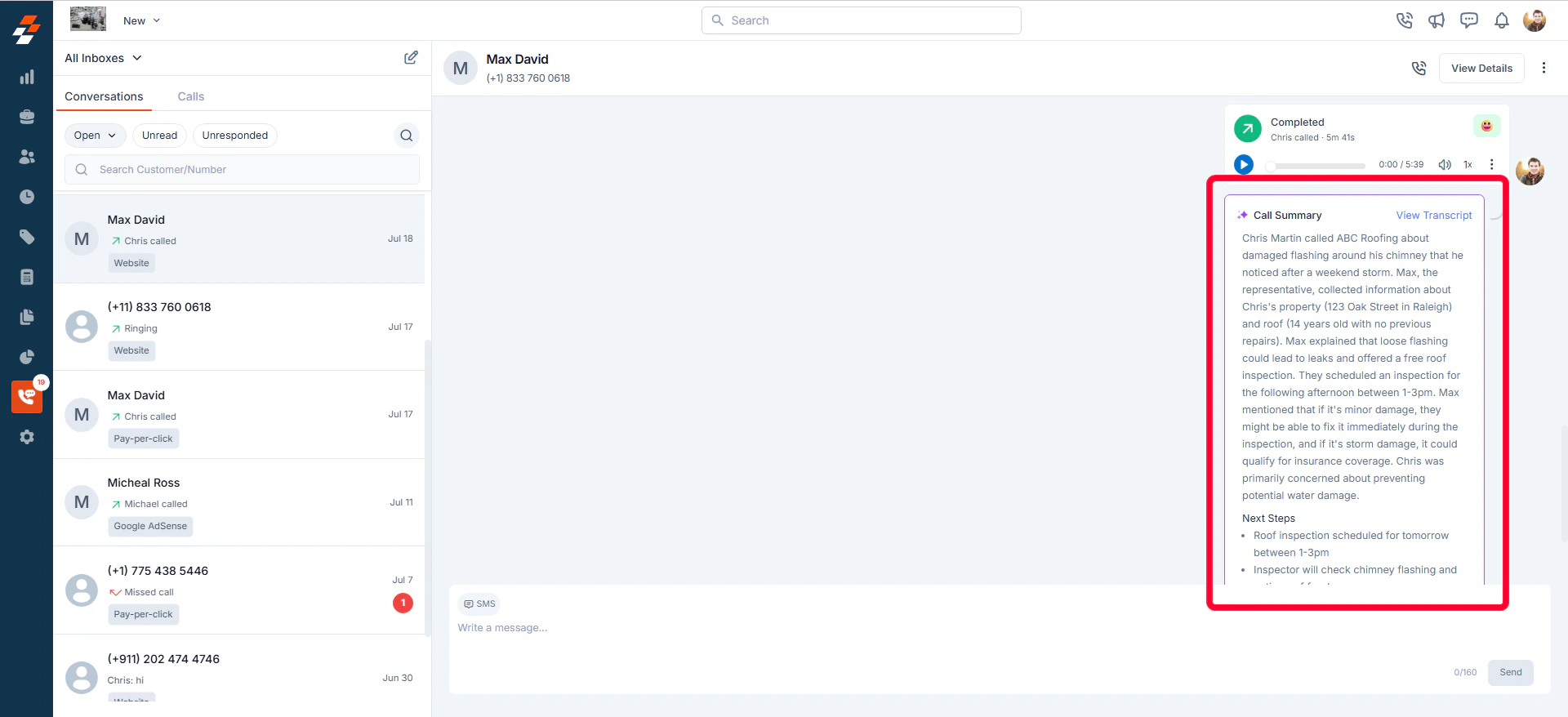
- Click the Call Summary to expand and view the summarized call and any suggested follow-up actions.
Alternate Way to View Call Summary
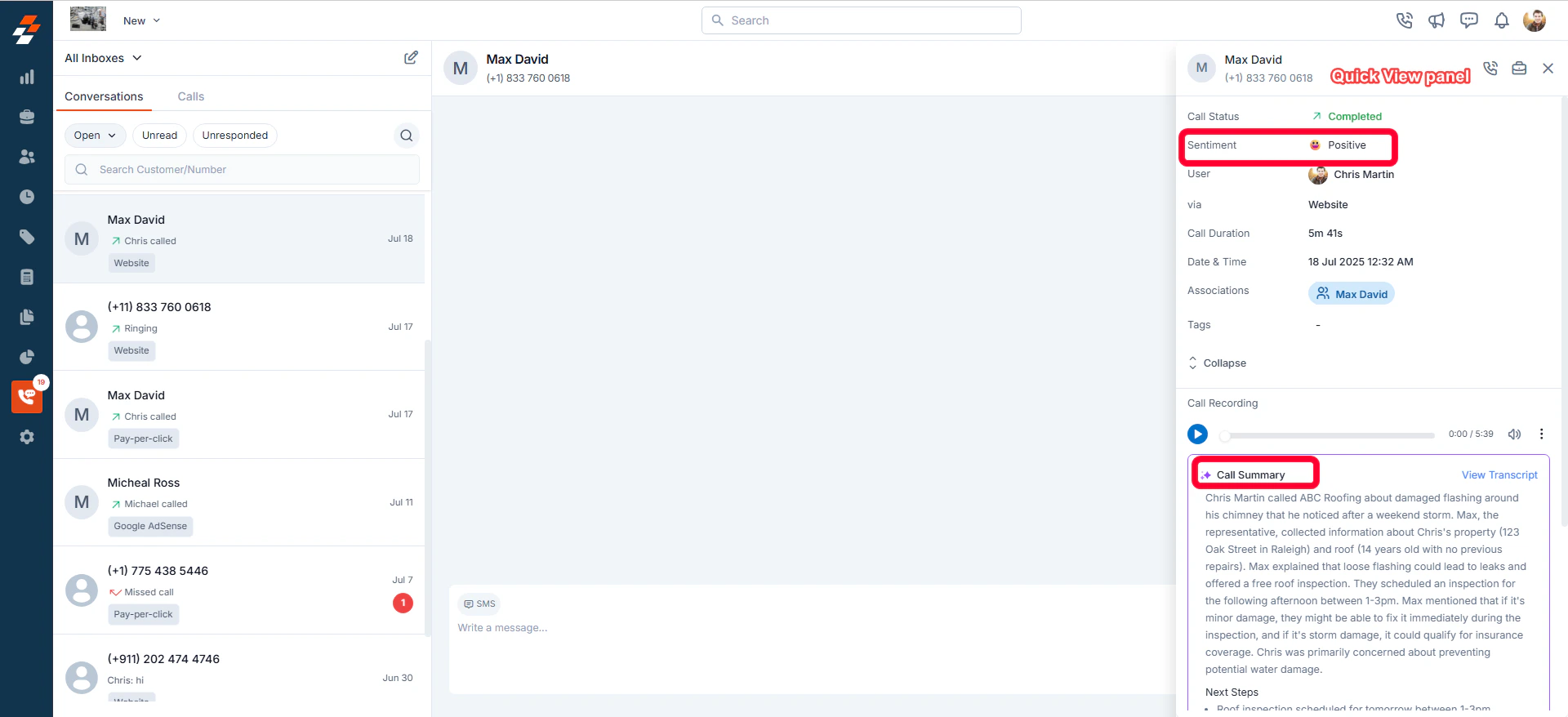
You can also view the AI-generated call summary from the call’s Quick View panel for deeper insights into the conversation.- Click on the call entry within the conversation thread.
- This opens a Quick View panel, where you’ll find the Call Summary section powered by Zuper AI, along with sentiment analysis of the conversation.
What is Included in the AI Call Summary?
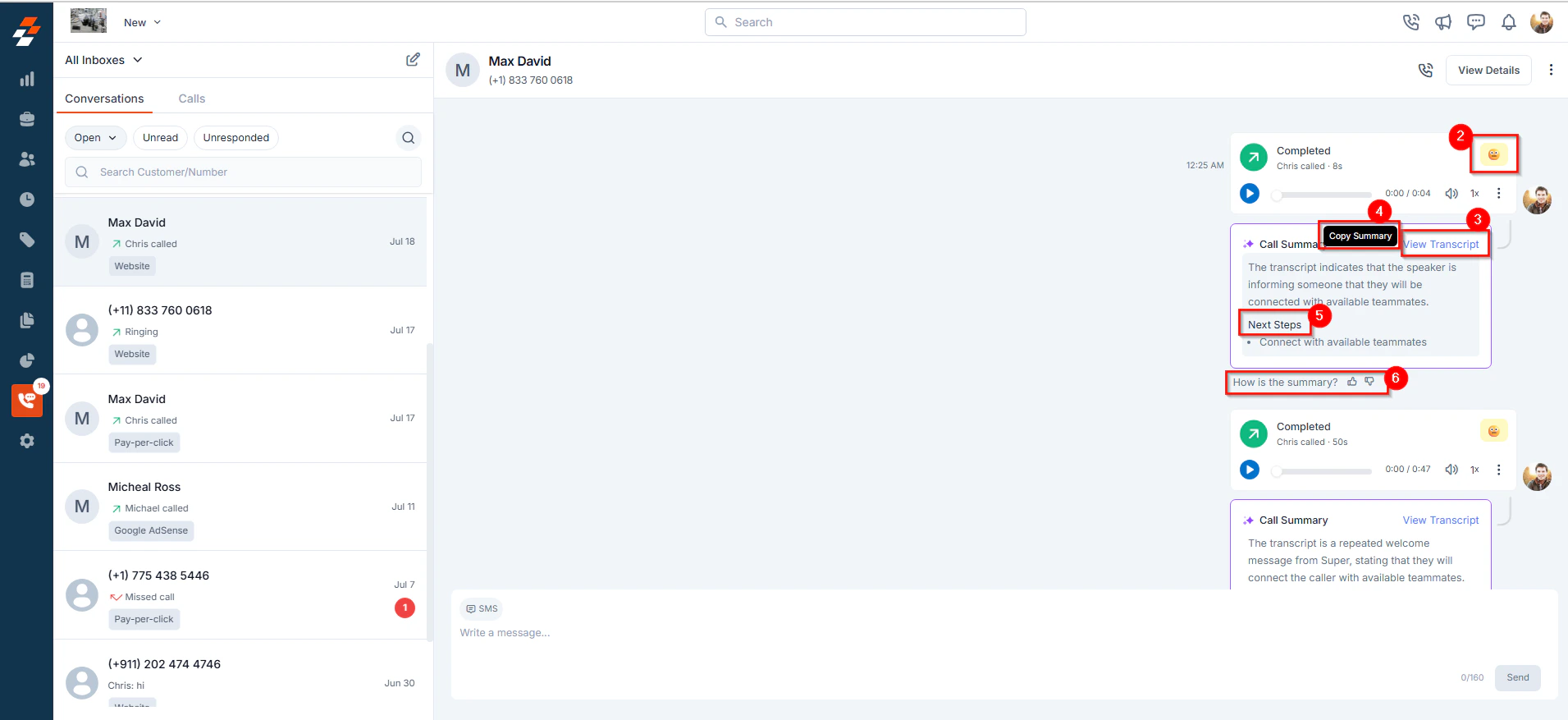
For every recorded call, Zuper AI automatically generates a call summary that includes:- A concise summary of the conversation (up to 5000 characters)
- Sentiment Analysis indicating whether the overall tone of the call was Positive, Negative, or Neutral.
- An option to “View Transcript” for more detailed context.
- The ability to hover and copy the summary for reuse.
- Next steps or follow-up actions intelligently inferred by Zuper AI.
- A feedback prompt—“How is the summary?”—to help us continuously improve the feature.
Note: Call summaries are generated only for recorded calls. If a call is not recorded, a summary will not be available.
- Will sensitive information be included in the AI summary?
- Which languages are supported for call summaries?
- Will every call have a summary?
- What does the call summary include?
- Generic Call Summary – A brief of the conversation between the two speakers.
- Next Steps – AI-suggested follow-ups or actions based on the discussion.