Webhooks form the backbone of modern API development, allowing you to monitor changes in our systems and trigger actions in external applications, such as sending text messages or updating payment statuses. Zuper provides built-in webhook support, enabling users to register an HTTP/HTTPS URL that activates when an event occurs within Zuper. With options to create, update, and delete webhooks, the system eliminates the need for periodic API calls and ensures that new updates are seamlessly integrated into the webhook.Documentation Index
Fetch the complete documentation index at: https://zuperinc-section23.mintlify.app/llms.txt
Use this file to discover all available pages before exploring further.
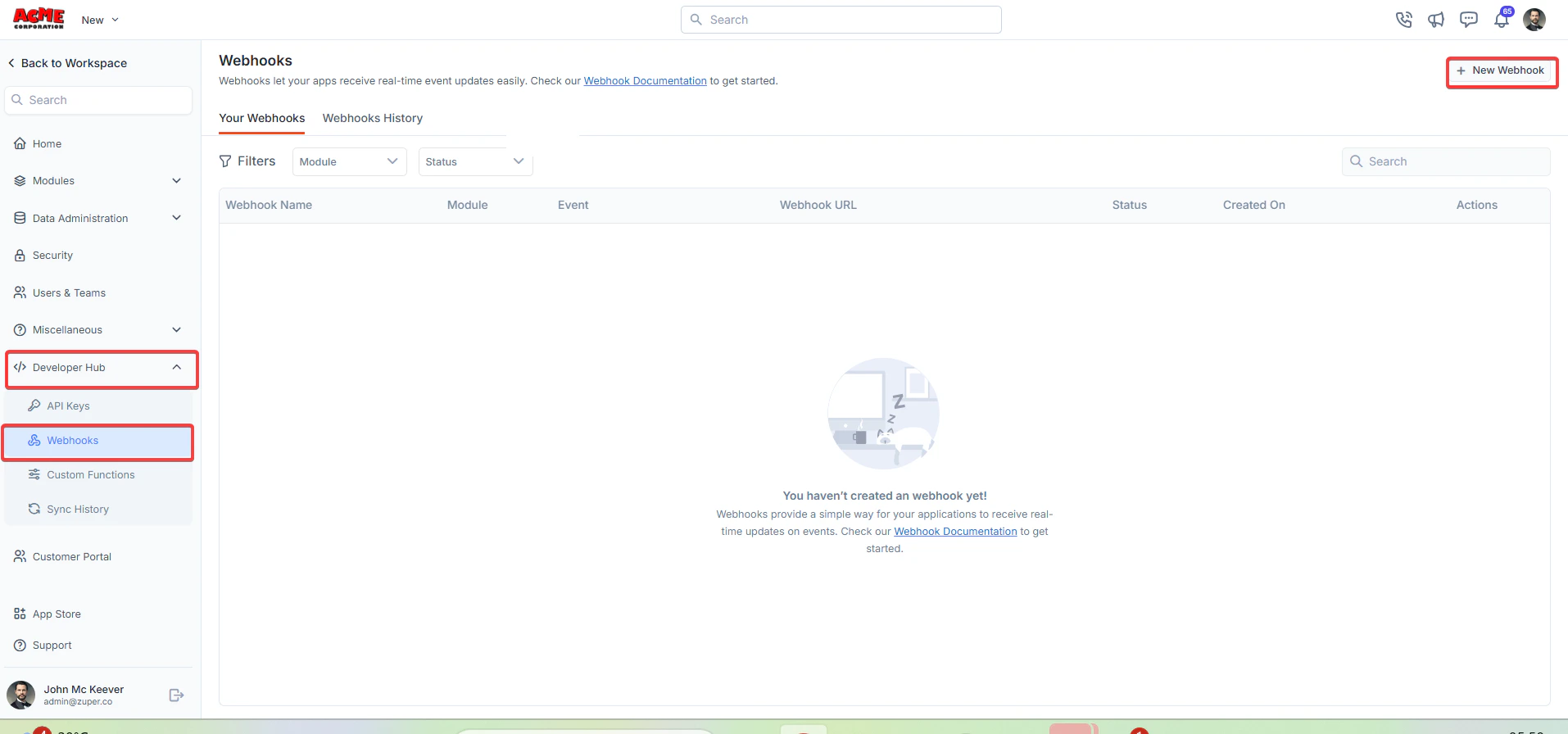
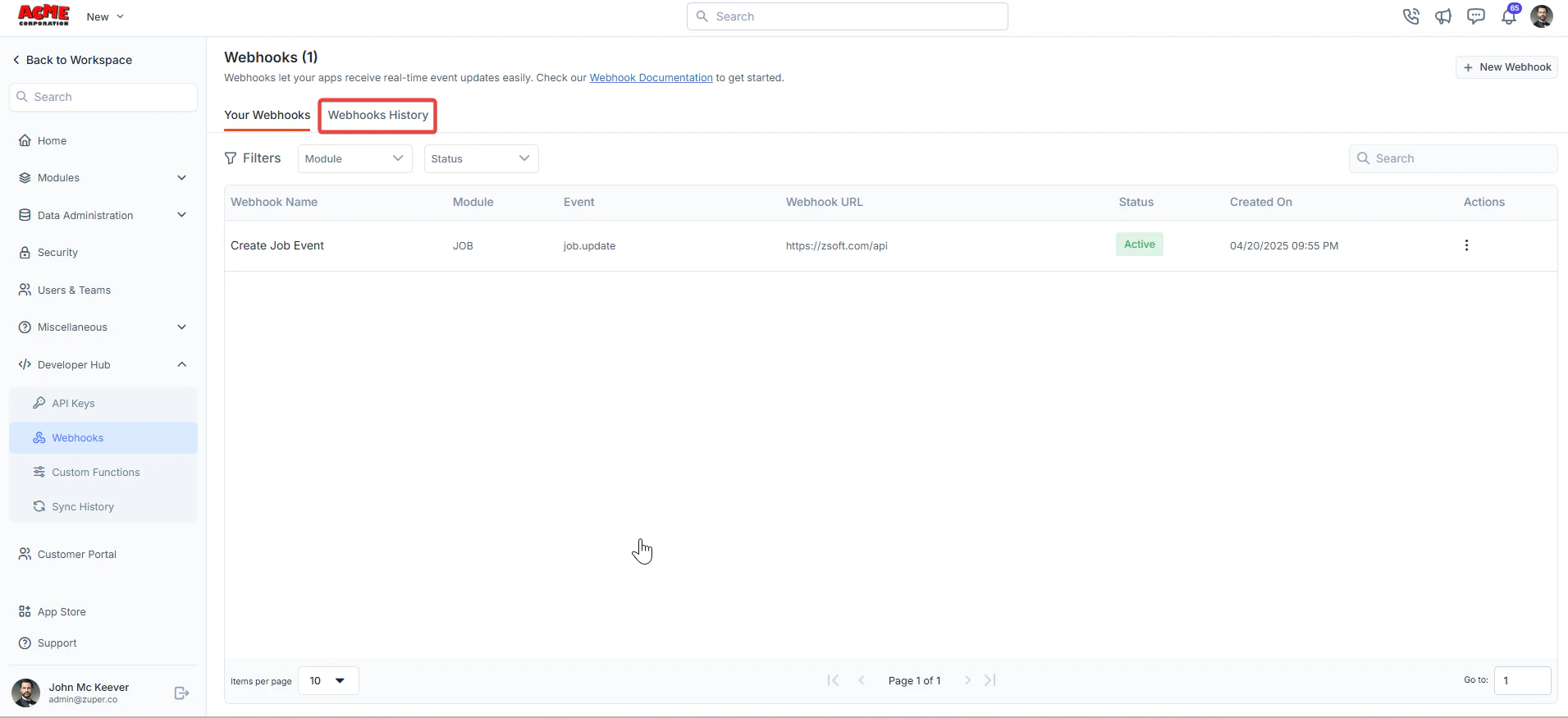
Navigation: Settings -> Developer Hub -> Webhooks
- From the settings, select “Developer Hub,” choose “Webhooks,” and click “+New Webhook.”
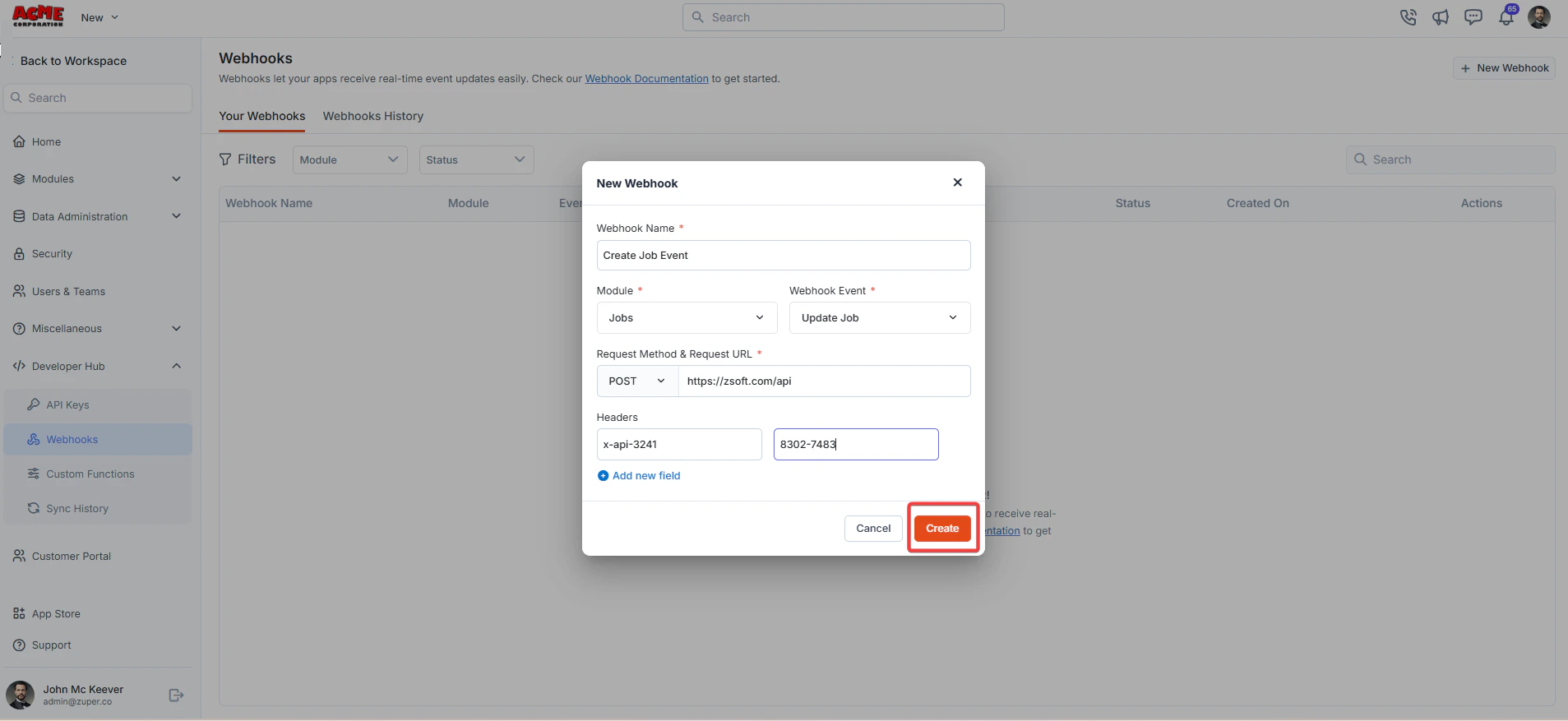
- Create a new webhook by filling in the following details:
- Webhook Name (Mandatory) - Enter the unique name for the webhook.
- Module (Mandatory) - Choose the applicable module.
- Webhook Event (Mandatory) - Choose the applicable webhook’s event.
- Request Method and Request URL - Choose the applicable method: POST, GET, PUT, and DELETE. A webhook request URL is the unique URL provided by a service or application that allows another application to send data directly to it.
- Headers - Add the key and the respective values.
| HTTP Method | General Purpose (in REST APIs) | Webhook Context | Common Use Case in Webhooks | Best Practices |
|---|---|---|---|---|
| GET | Retrieve data without modifying it (idempotent, safe). | Rarely used for delivery (no body for payloads); supported in some tools for simple queries or polling-like triggers. | Fetching webhook configuration or metadata. | Avoid sensitive data; use query params sparingly. Limit to read-only ops. |
| POST | Create new resources or submit data (non-idempotent). | The default and most common for webhook payloads. Sends JSON/XML bodies with event details. | Delivering event data. | Always include a signature/header for verification. Expect retries on failure. |
| PUT | Update/replace an entire resource (idempotent). | Used in scenarios needing complete resource replacement; less common but supported for updates. | Updating webhook subscriptions. | Ensure idempotency—repeated calls shouldn’t create duplicates. Use for complete overwrites, not partial updates. |
| DELETE | Remove a resource (idempotent). | Primarily for management, not delivery. | Unsubscribing or deleting a webhook endpoint. | Confirm deletion with a 204 No Content response. Use auth tokens to prevent unauthorized removals. |
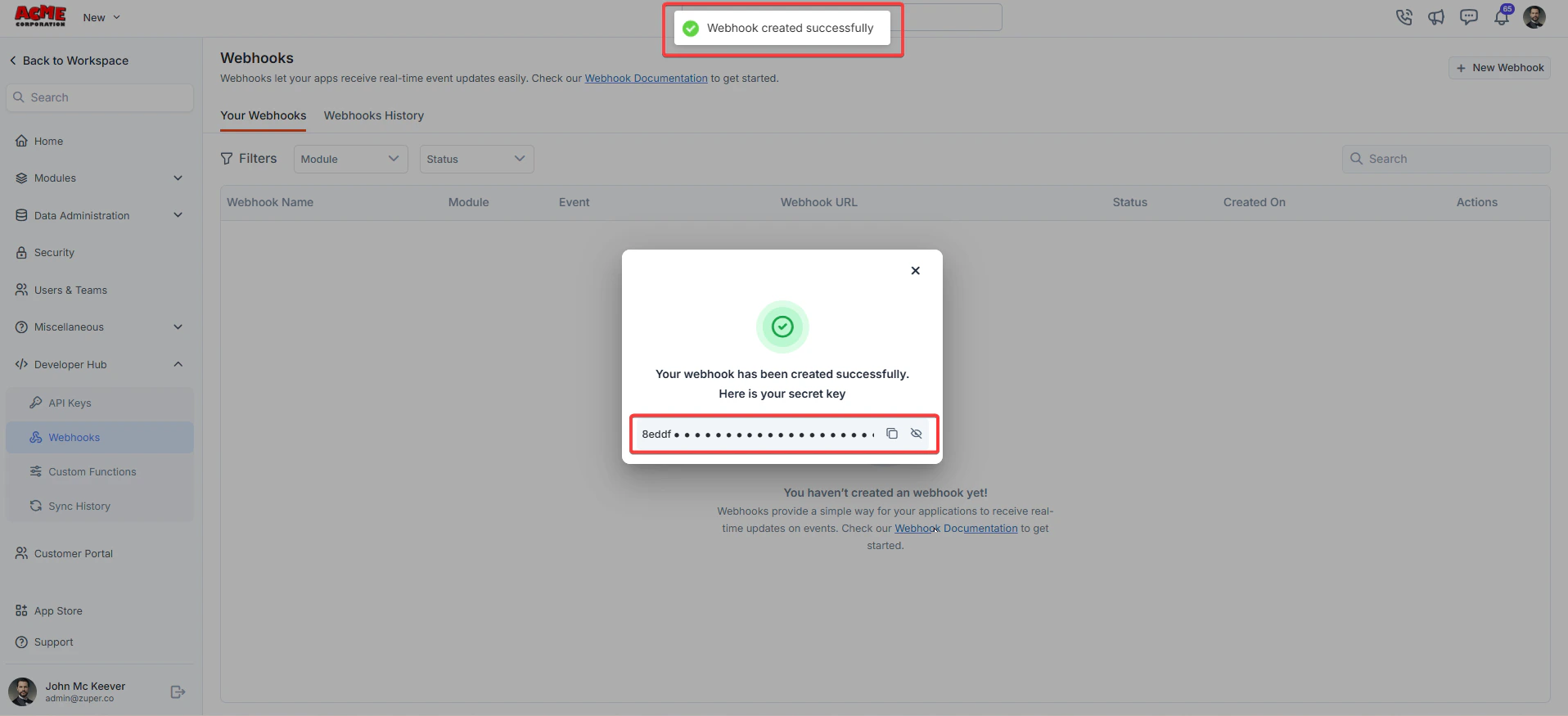
- The new webhook secret key is generated successfully.
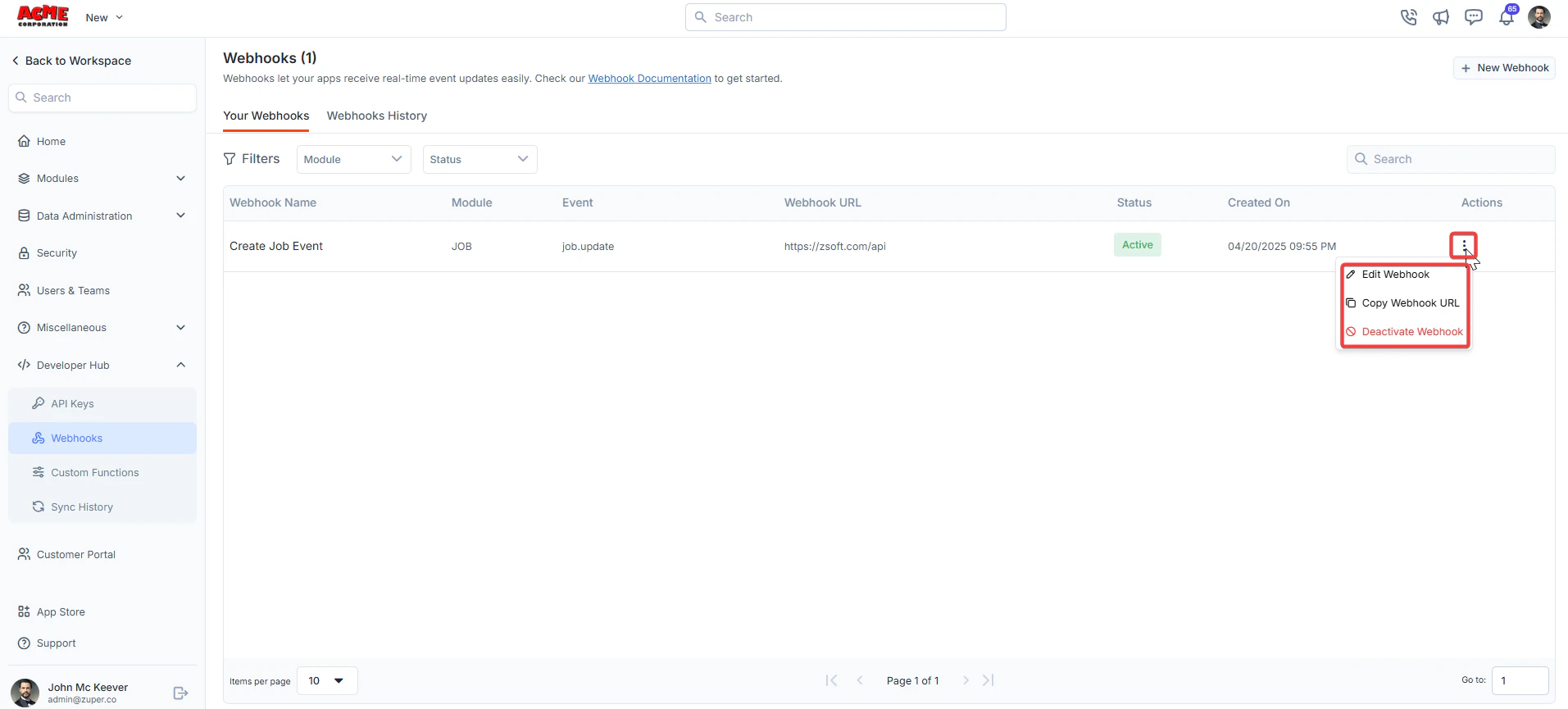
- Click icon to Edit Webhook, Copy Webhook URL, and Activate/Deactivate Webhook.
- Click “Webhook History” to view the list of webhook executions.
- Ensure your Request URL is publicly accessible and can handle the specified HTTP method.
- Use headers to include authentication tokens or other metadata as needed.
- Test your webhook configuration to confirm it receives events correctly.