

Navigation: _Settings -> Modules -> Jobs -> Skillsets _
Navigating to job skillsets
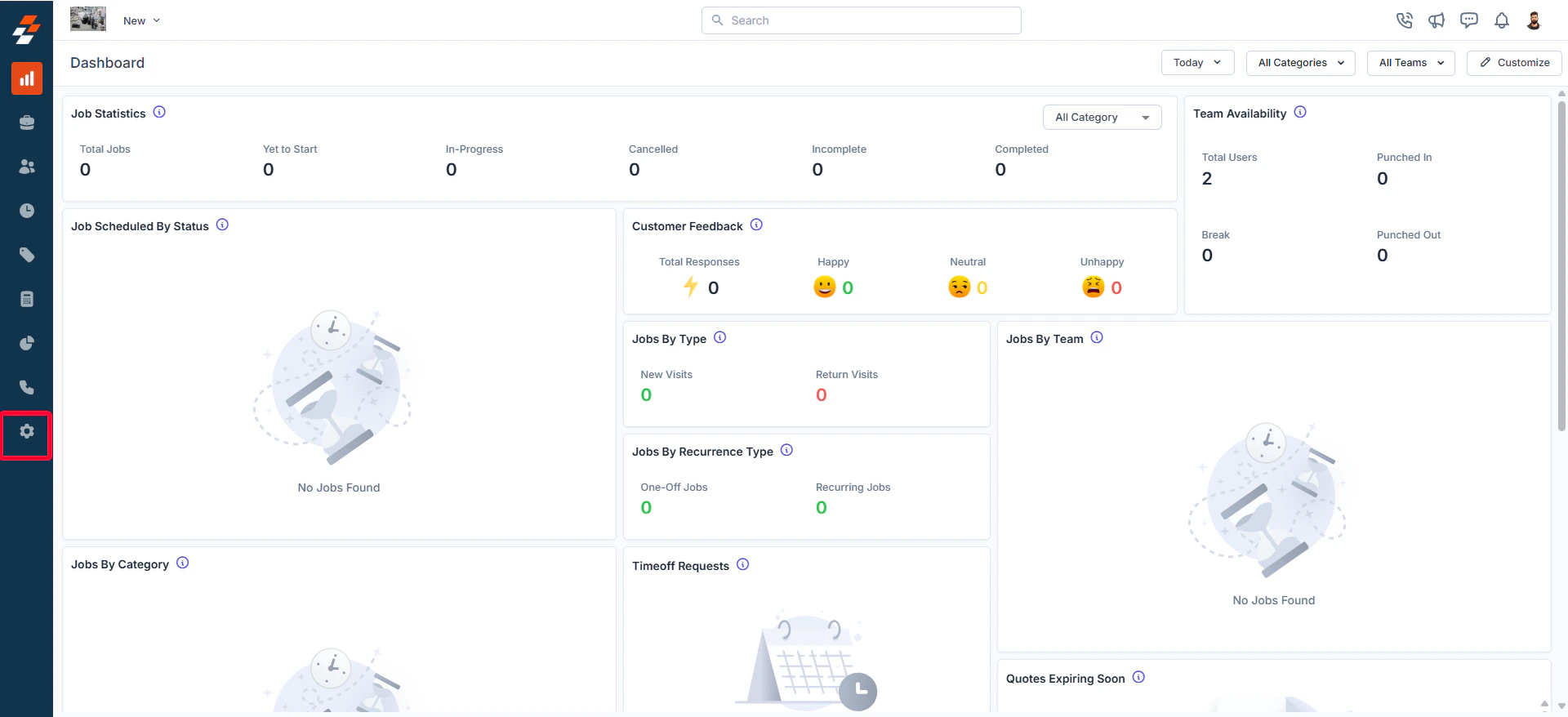
To configure skillsets, follow these steps:- Select the “Settings” module from the left navigation menu.
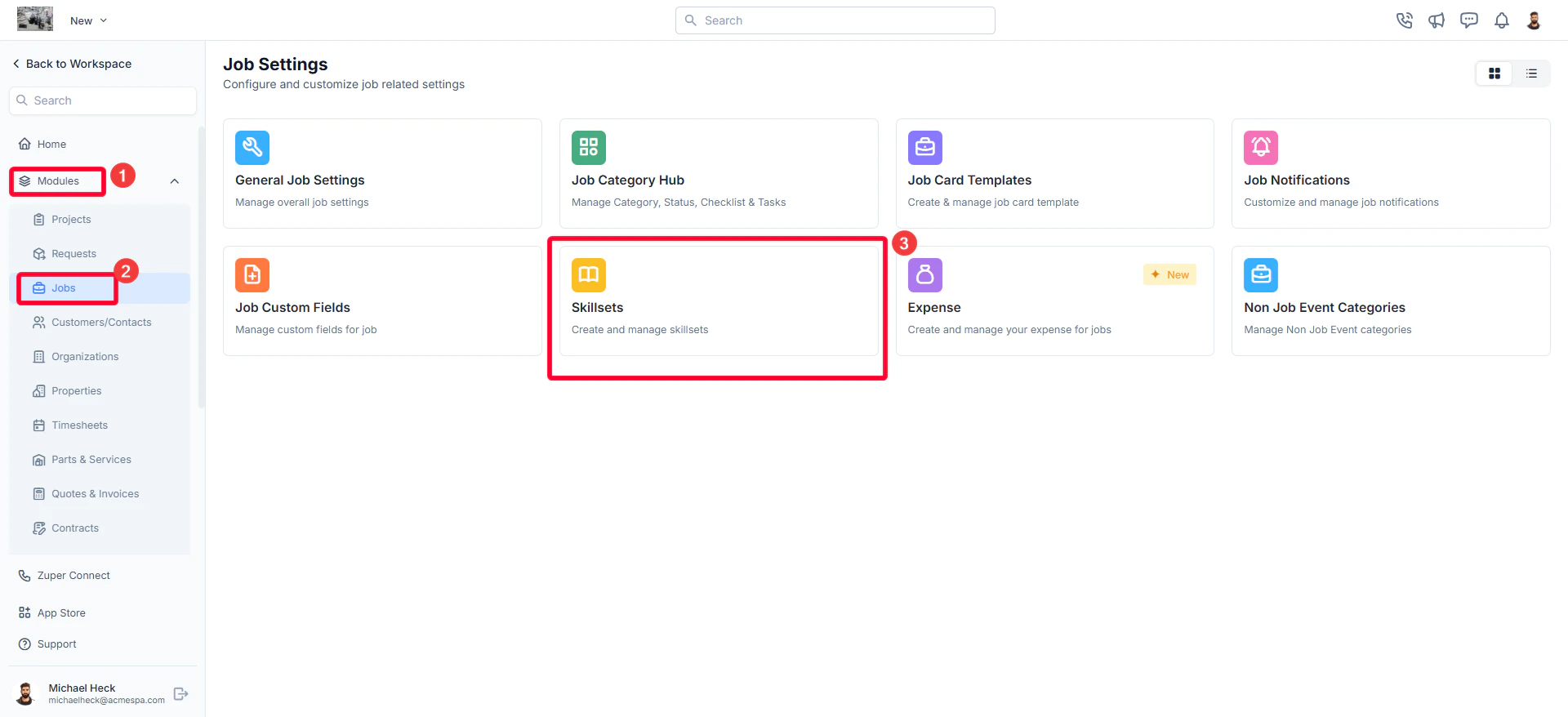
- Click “Modules” and select “Jobs” to open the Job Settings page.
- Choose “Skillsets.”
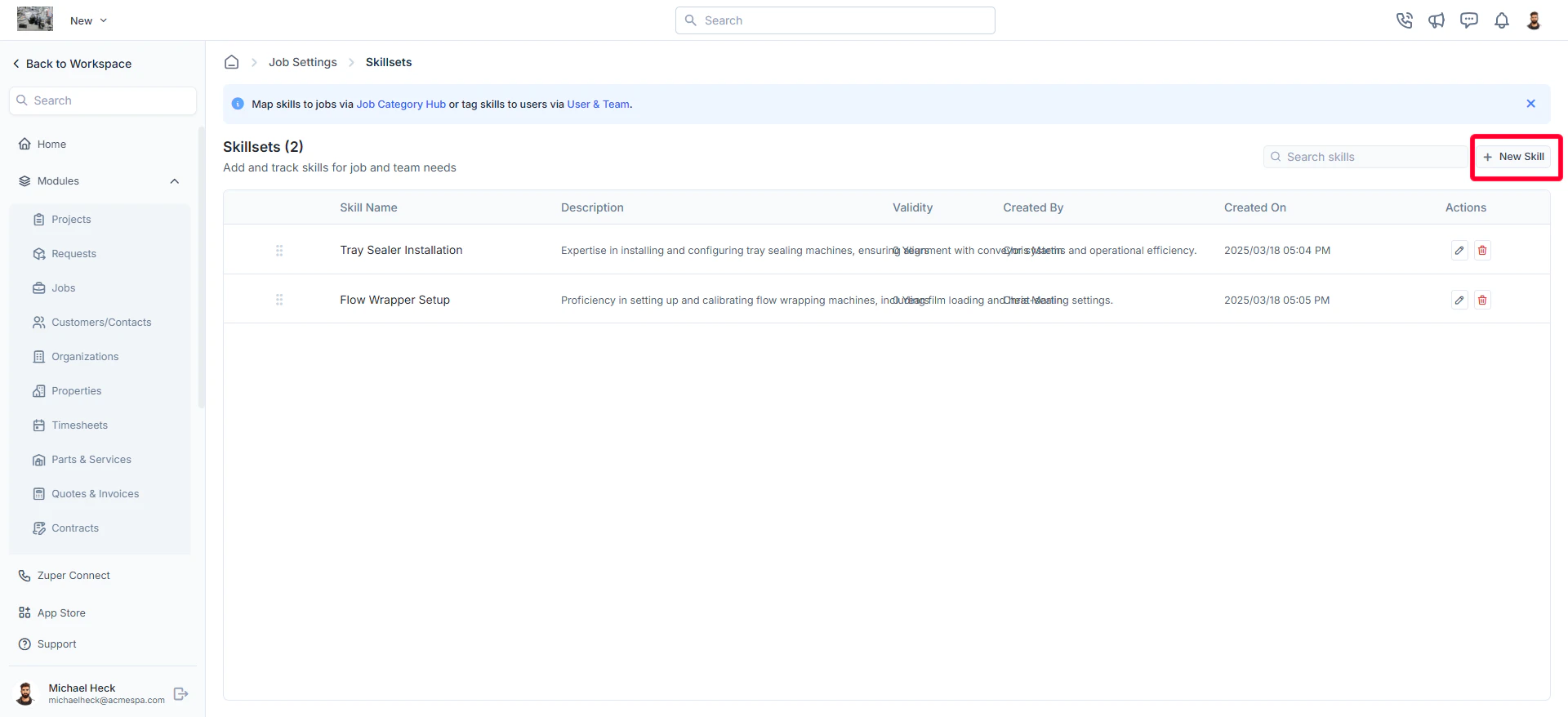
- The skillsets listing page will appear, displaying all existing skills for job and team needs.
Creating a new skillset
To add a new skill:- On the skillsets listing page, click ”+ New Skill.”
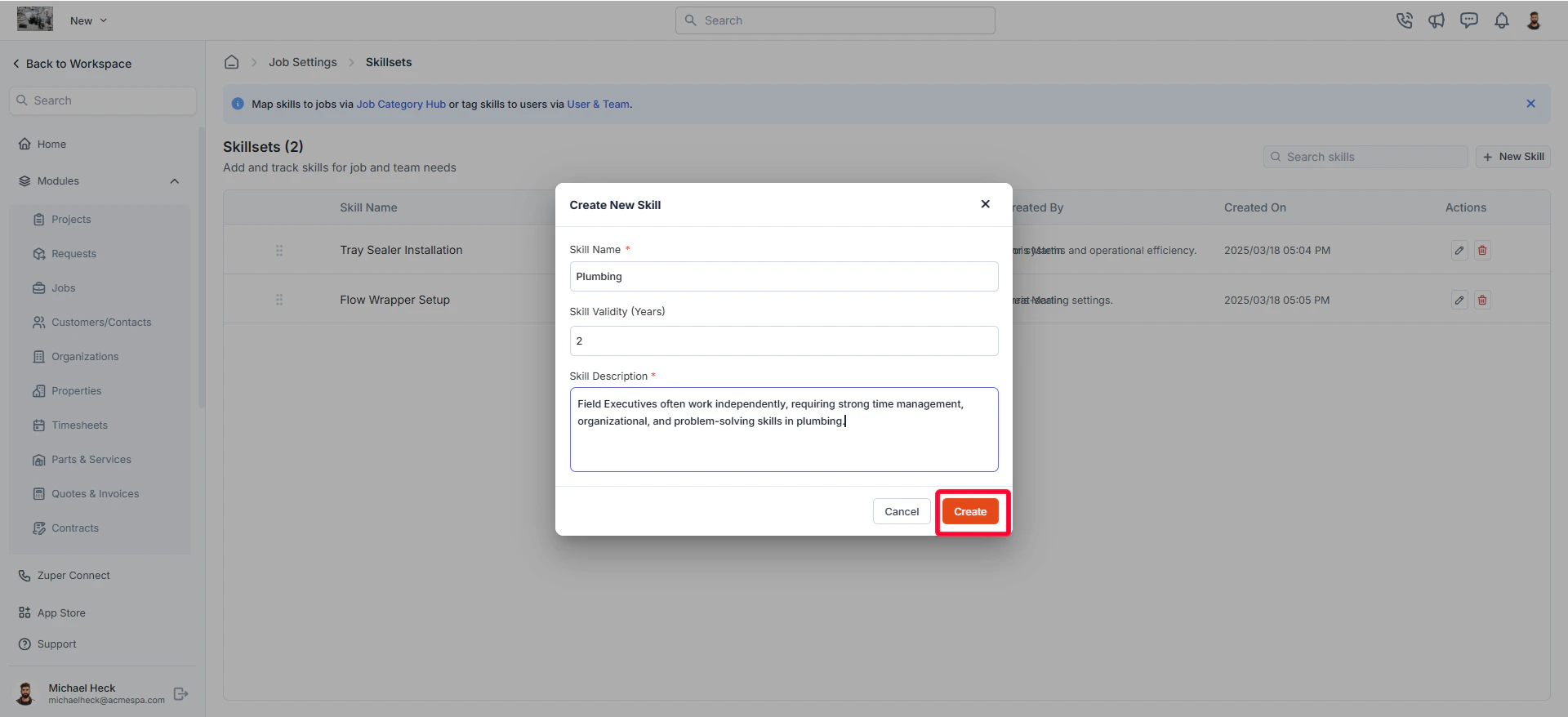
- A Create New Skill dialog box will appear.
- Enter the required details:
- Skill Name (Mandatory): Enter a descriptive name for the skill (e.g., Electrical Repair, HVAC Maintenance).
- Skill Validity (Years): Specify how long the skill remains valid before requiring renewal (e.g., 2 years).
- Skill Description (Mandatory): Provide a brief description of the skill, including its purpose and usage.
- Click “Create” to save the new skill.
- Skill Name
- Skill Description
- Skill Validity
- Created By (User who created the skill)
- Created On (Date & time of creation)
Editing a skillset
To modify an existing skill:- On the skillsets listing page, click the pencil icon next to the skill you want to update.
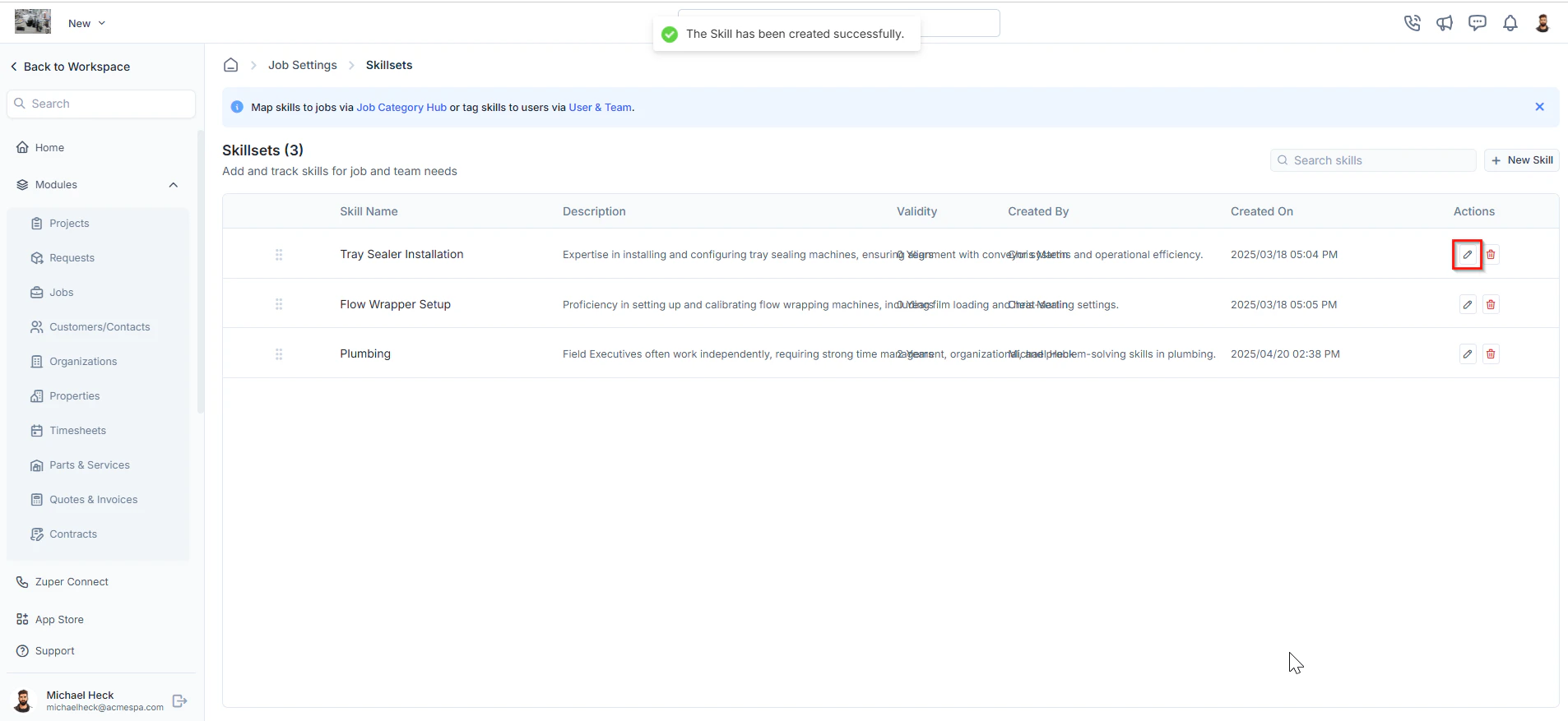
- The Edit Skill dialog box will open.
- Make the necessary changes.
- Click “Update” to save the changes.
Deleting a skillset
To remove a skill permanently:- On the skillsets listing page, click the delete icon next to the skill you want to remove.
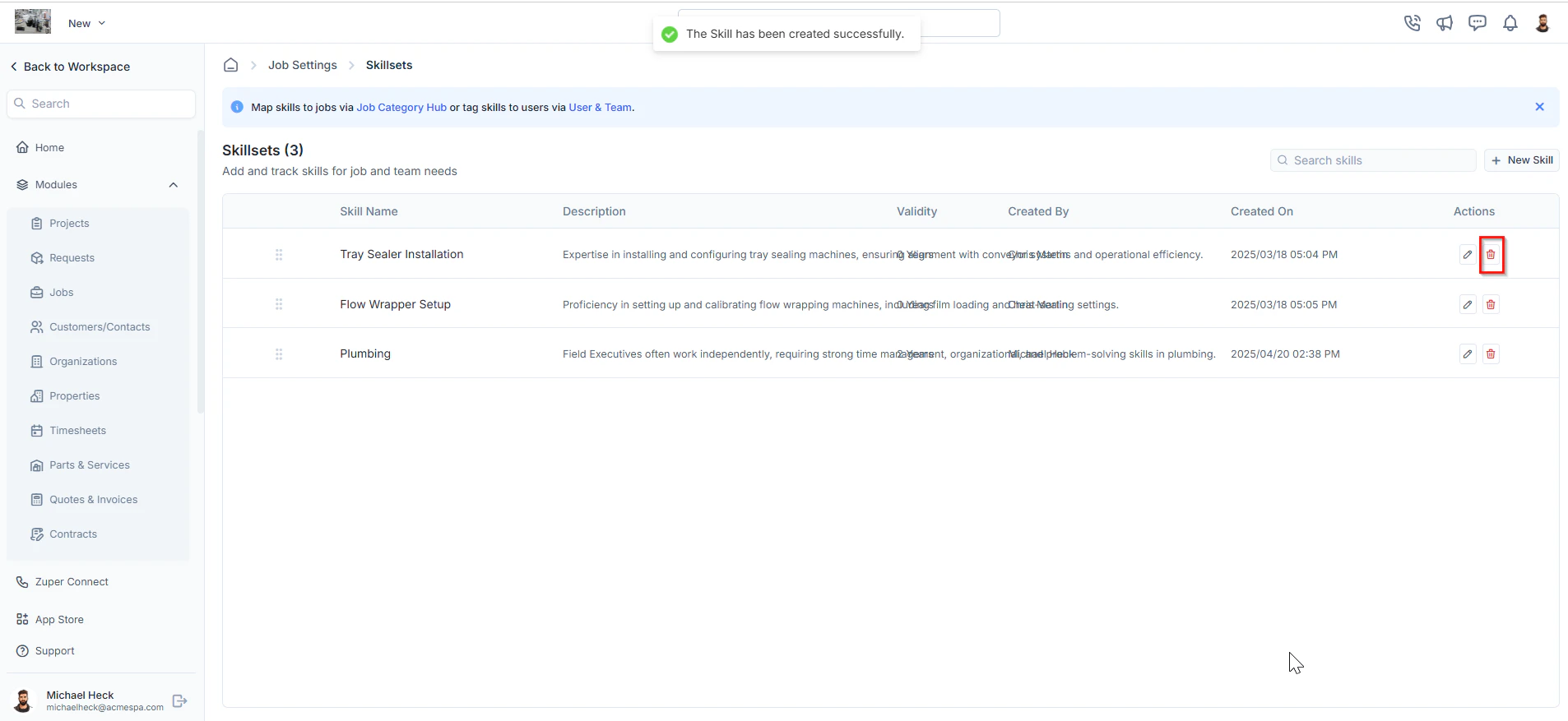
- A confirmation dialog box will appear.
- Click “Delete” to confirm and permanently remove the skill.