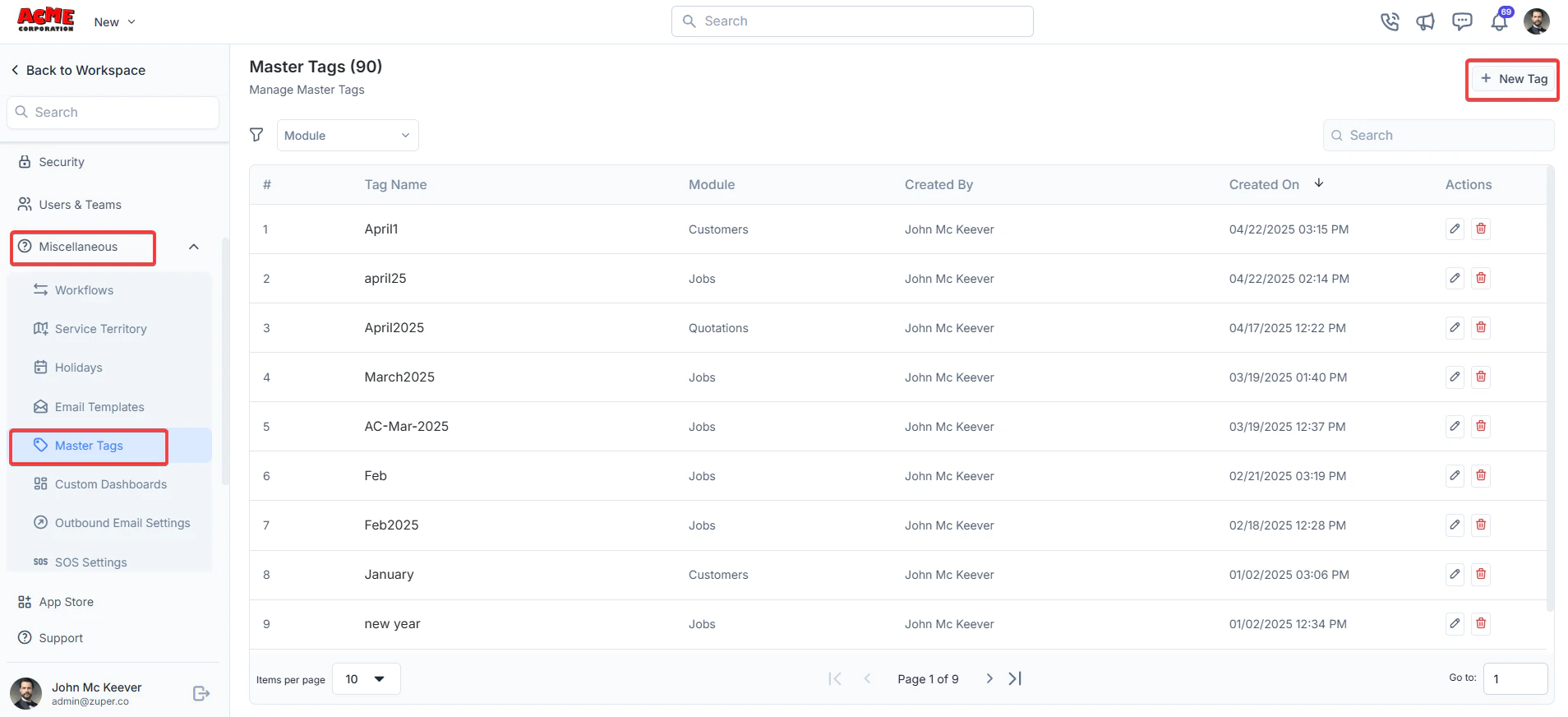
Navigation: Settings -> Miscellaneous -> Master Tags
- From the settings, select “Miscellaneous.” Under the “Master Tags” section, choose “+ New Tag.”
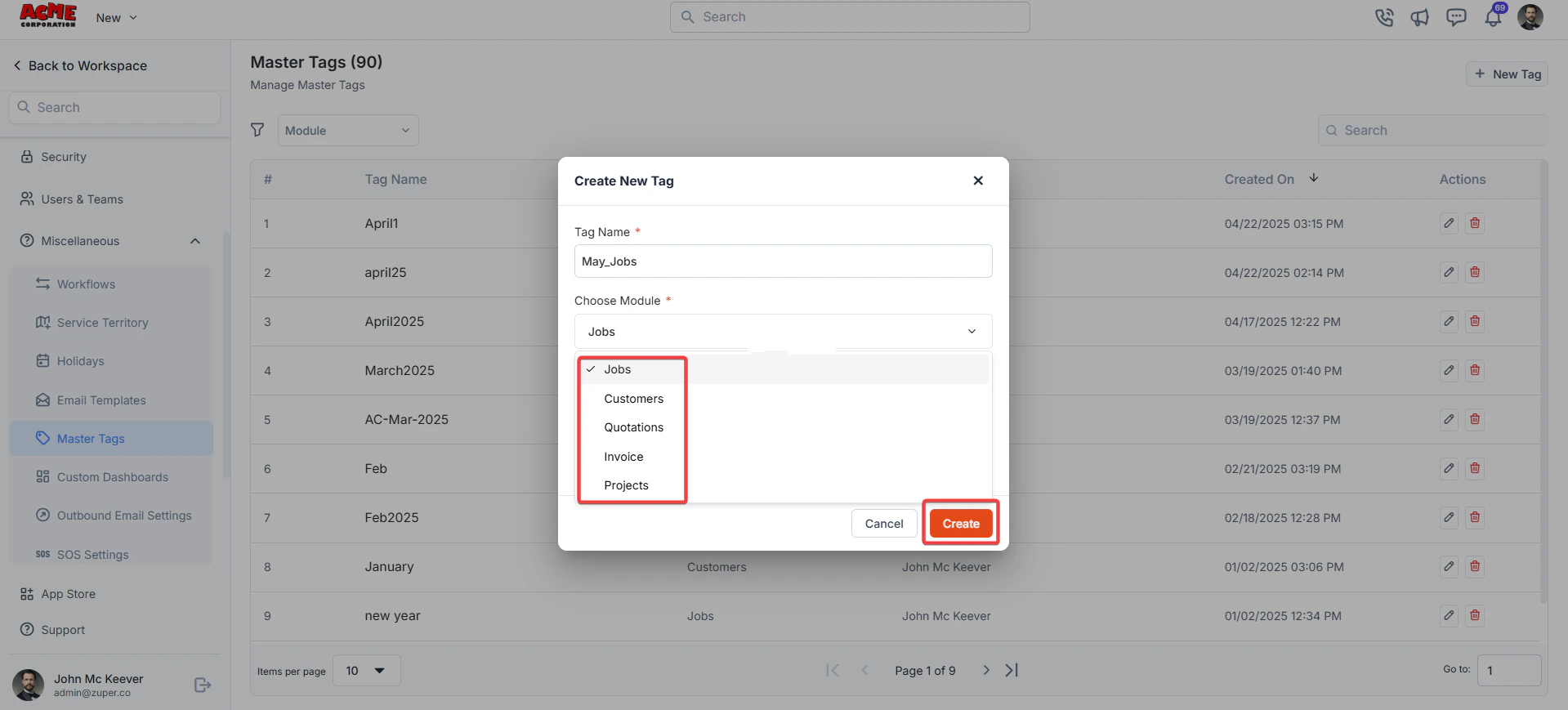
- Enter the following details.
- Tag Name: Enter a unique name for the tag. This field is mandatory.
-
Choose Module: Select a module from the dropdown menu. Options include:
- Jobs
- Customers
- Quotations
- Invoice
- Projects
- Description - Enter the master tag description.
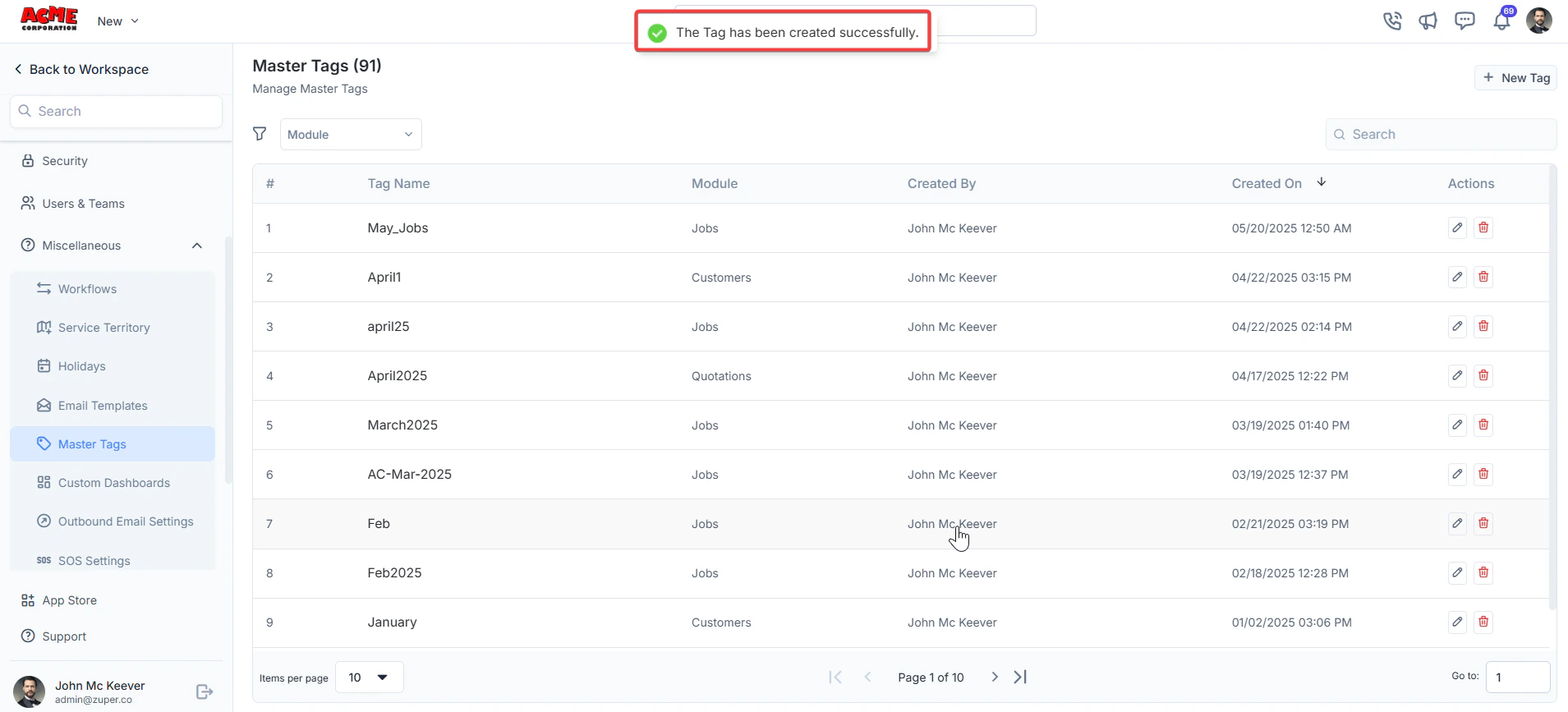
- The tag is created successfully.
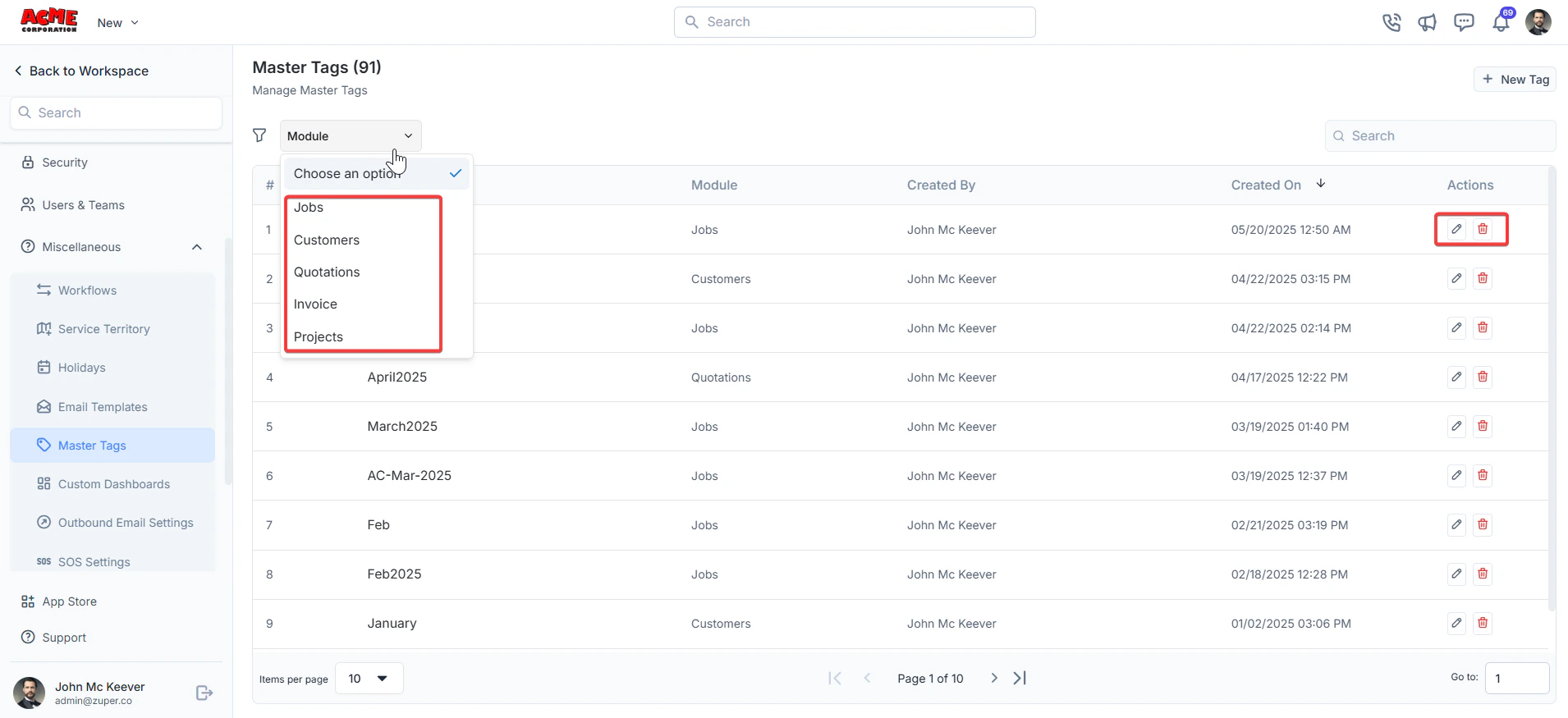
- Choose the “Module” filter to filter the list of module line items. Tags can be edited or deleted using the action icons in the table.